Here’s what’s new at Podium
Voice Agent Management
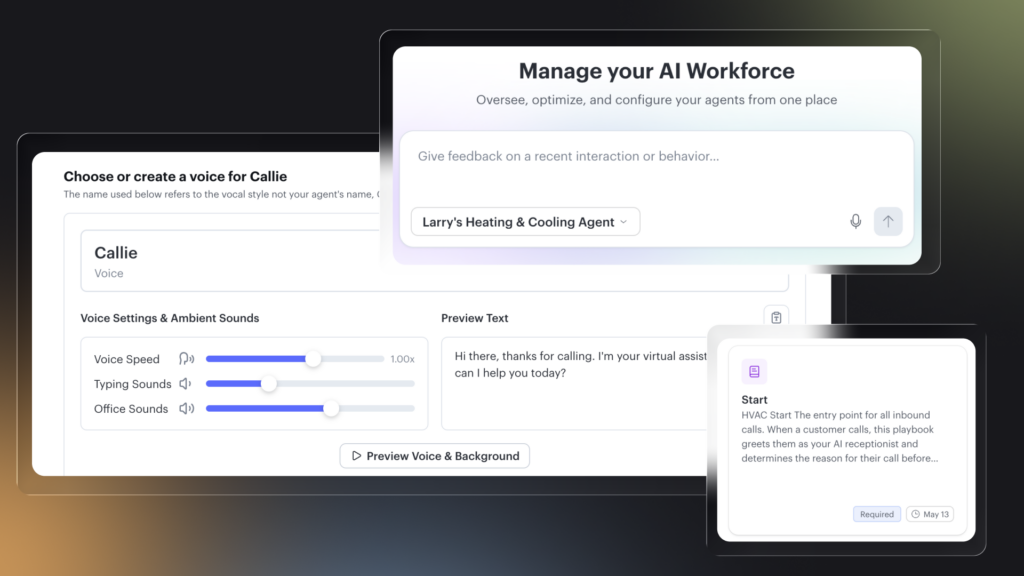
The biggest upgrade to Voice AI since launch. You now have full control over how your Voice AI sounds, what it knows, and how it handles every call.
- Build a voice that sounds like your business. Choose from a library of natural voices or create a custom one. Your Voice AI doesn’t have to sound like everyone else’s.
- Every playbook, every call. Your Voice AI references all of your playbooks automatically. Pricing, dispatch, memberships, after-hours emergencies, all pulled in without you having to pick which one is active.
- Write your own instructions. Add specific rules in plain English. Anything you’d tell a new employee, you can tell your Voice AI.
- Test before you go live. A live sandbox lets you run any scenario, hear the response, and only push changes when they sound right.
- A redesigned interface. Faster, cleaner, and built around how you actually use it.
AI Studio: Agent Overview and Reporting
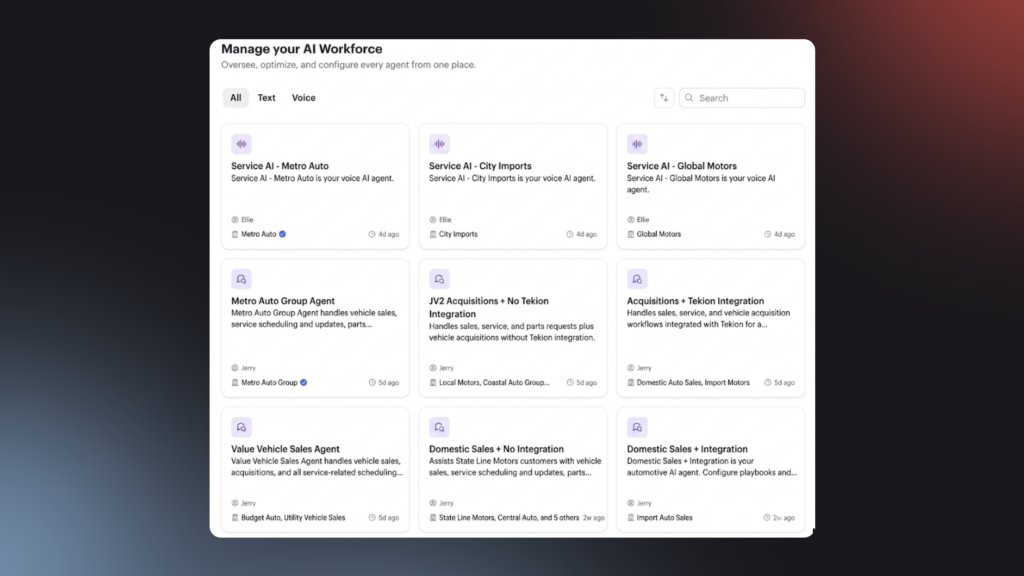
Your AI Studio home page just got smarter. Everything you need to manage and improve your agents is now in one place.
- Chat with your trainer agent. Get help and make changes to your agents directly from the home page.
- Performance by Playbook. See how each Playbook is performing so you know what’s working and what needs tuning.
- Activity feed. Track recent updates and changes to your agents at a glance.
Payments Account Security
Two new layers of protection for Payments users. Real-time alerts flag suspicious activity like failed login attempts or account changes the moment they happen. If you lose access to your primary email, a new secondary email recovery path lets you get back in without contacting support.
Contact Profile Field Ordering
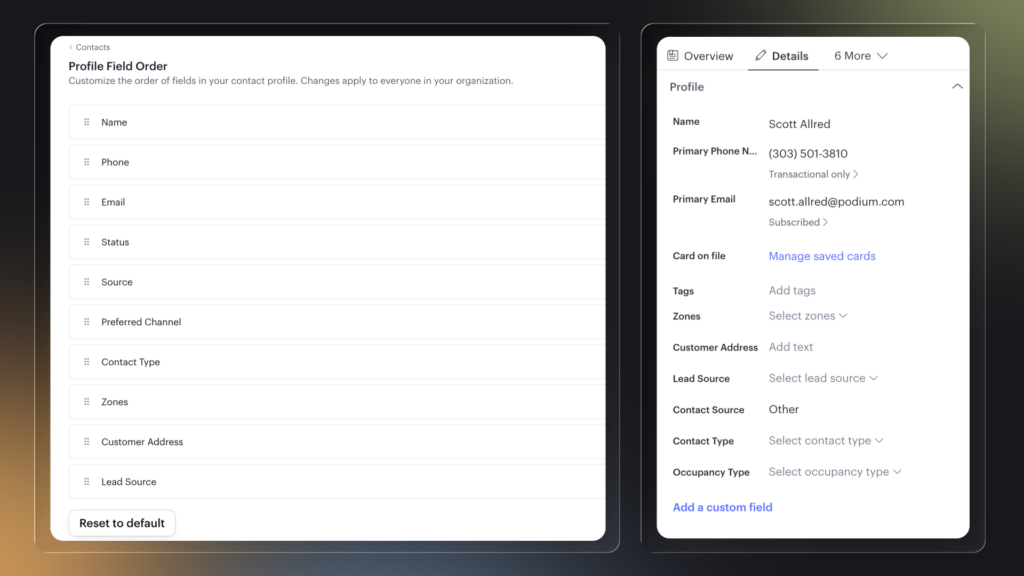
Every business cares about different contact info. A med spa might need height and weight up top, while a sales team wants lead source and phone number first. Account owners can now drag and drop standard and custom fields in the contact drawer to surface what matters most.
- Org default. Set a default field order for the entire organization under Settings, Contacts, Profile Field Order.
- Standard and custom fields. Reorder name, phone, email, and any custom fields your business has created.
- Reset anytime. One click to return to the default order.
Automotive
Offers for Jerry
Jerry can now tap into your dealership’s current offers and incentives, like “0% APR on new RAV-4s,” to overcome objections, re-engage cold leads, and drive more showroom visits. Set them up manually or let Jerry scrape them from your website automatically.
Video Walkaround
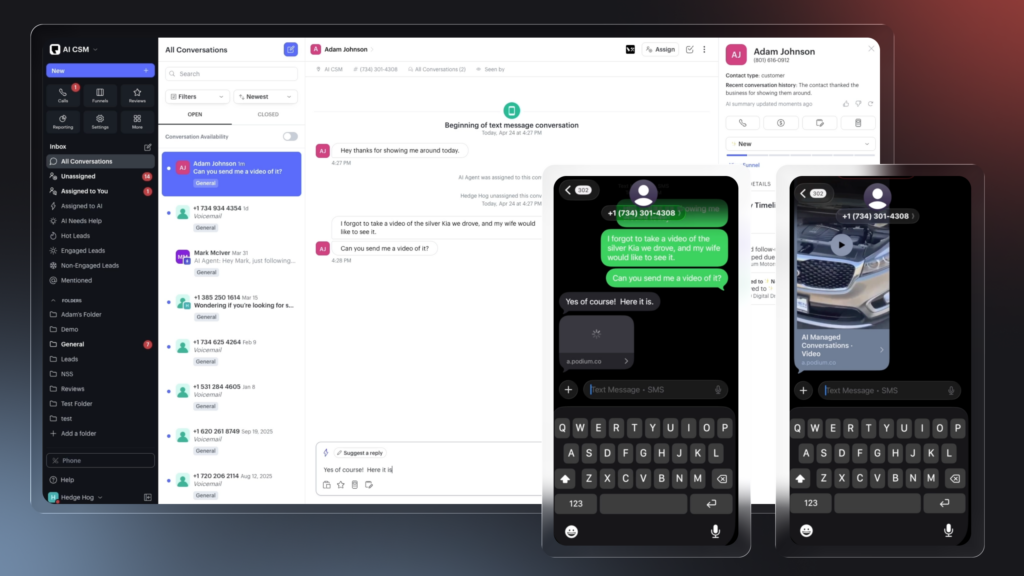
Send vehicle walkaround videos directly from Podium and know exactly when customers watch them. Jerry tracks whether a video was opened, played, or completed and follows up automatically at the right moment. Reps see “Customer watched your video” in the conversation timeline so no hot lead goes cold. Watch how.
Sales Calendar
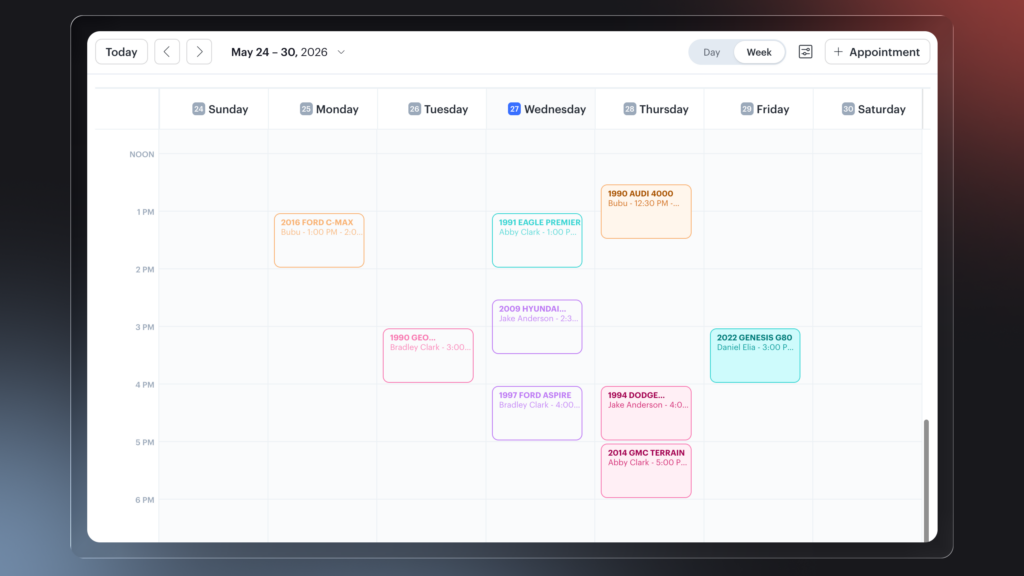
Your full sales appointment calendar, now inside Podium. Appointments sync directly from your system so nothing falls through the cracks, and Sales Managers can control which reps see whose schedule. Reps can set an appointment from any contact record without leaving the conversation.
Vehicles Table
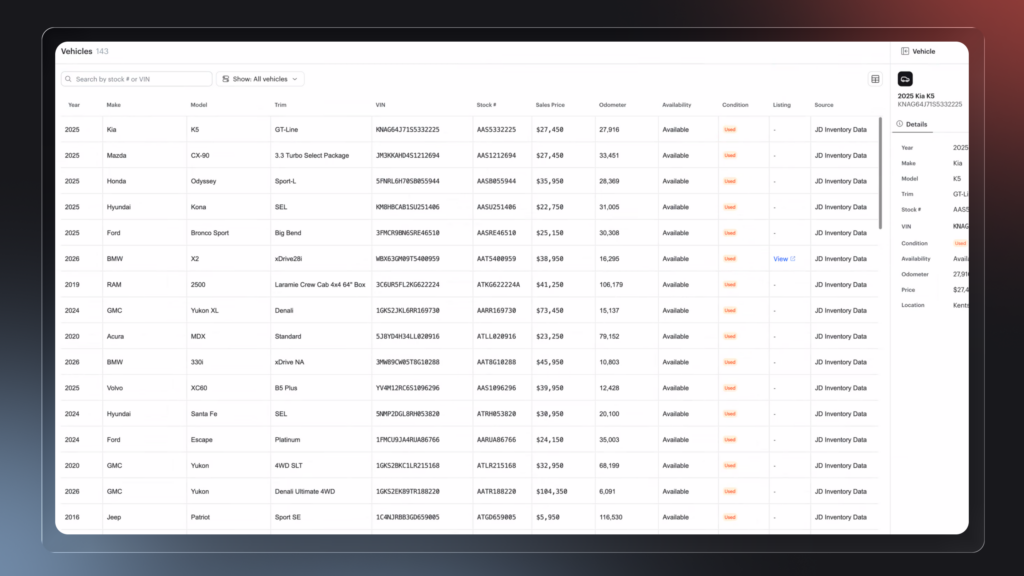
Jerry now has full visibility into your live inventory: make, model, trim, price, and availability. When a customer asks about a specific vehicle, Jerry responds with real data, not guesswork. Every answer is grounded in what’s actually on your lot.
Fresh Up and Phone Up
Jerry handles every lead type that comes your way: fresh ups, phone ups, and internet leads alike. Customers are opted in compliantly from the first touch, and when a call comes in, Jerry can pull the phone transcript so the full context is captured and the right rep is always in the loop.
Home Services
Available for customers using Podium AI Operating System
Property Search on Contacts
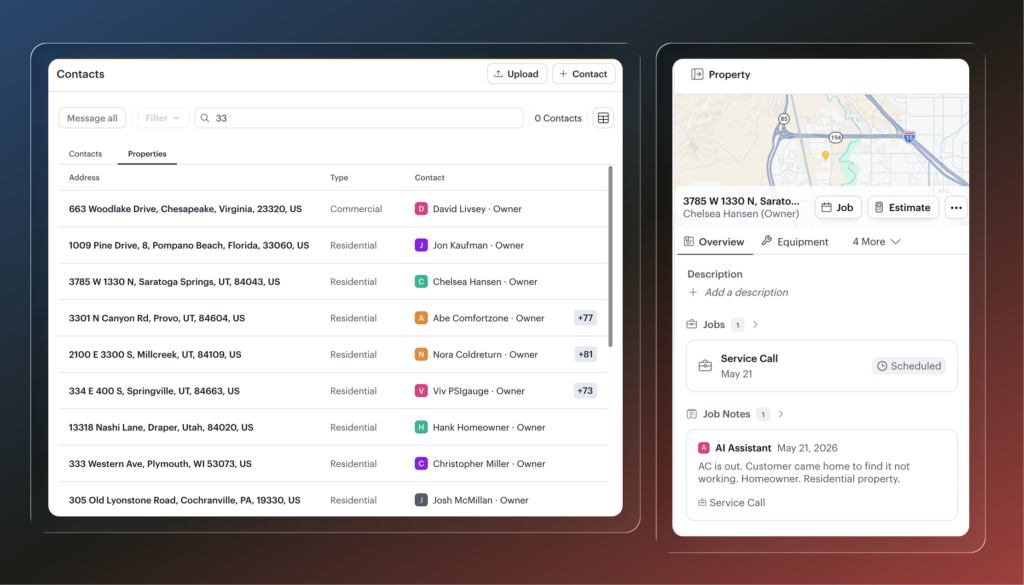
Search for properties by address directly from the Contacts page. Find a contact or a property from the same search bar and open the property sheet right inline. No more navigating away mid-workflow.
Restrict Tech Calendar Visibility
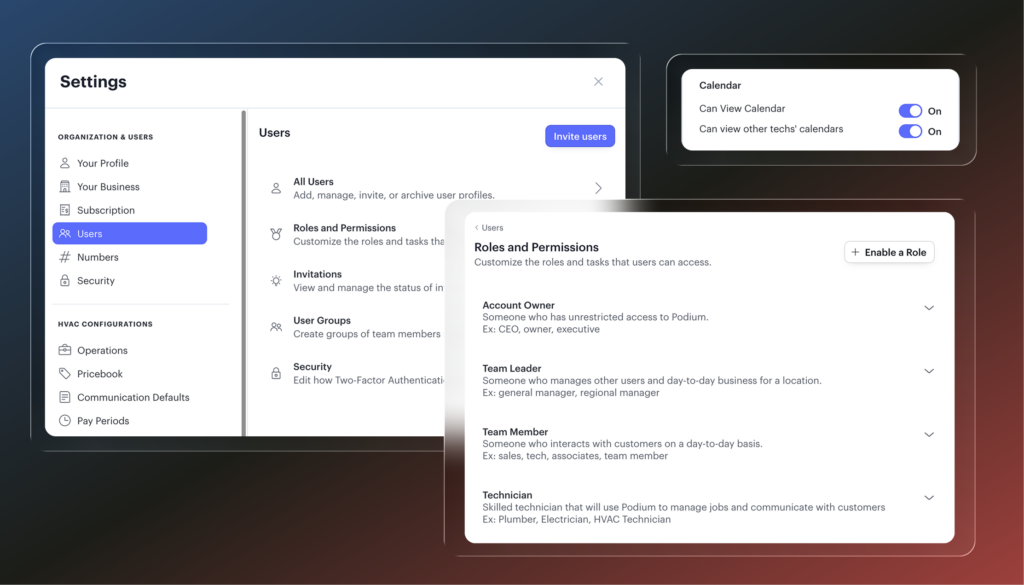
Account owners can now control whether technicians see other techs’ calendars. Toggle the permission in Settings under Users, Roles and Permissions, Technician. Keep individual schedules private without locking down dispatch.
Tech Time Tracking on Jobs
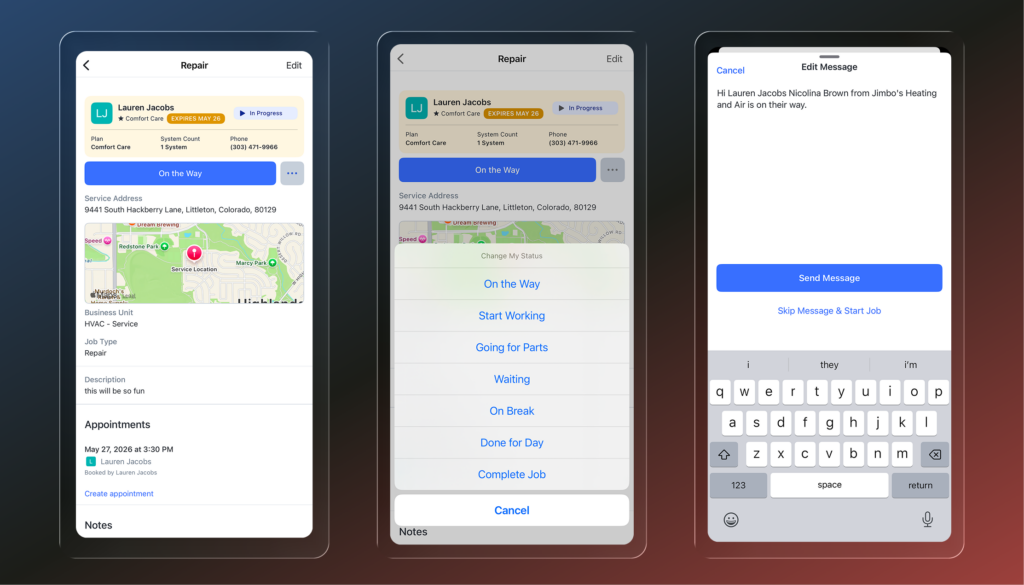
Technicians can now log their working status directly against a job from the mobile app: on the way, working, getting parts, on break, or done for the day. Every status gets timestamped and rolled up on the job so office staff can see exactly when work happened. Admins can edit entries, adjust hourly rates for after-hours work, and add time on behalf of other techs who worked the same job.
Edit Property Address from Details or Job
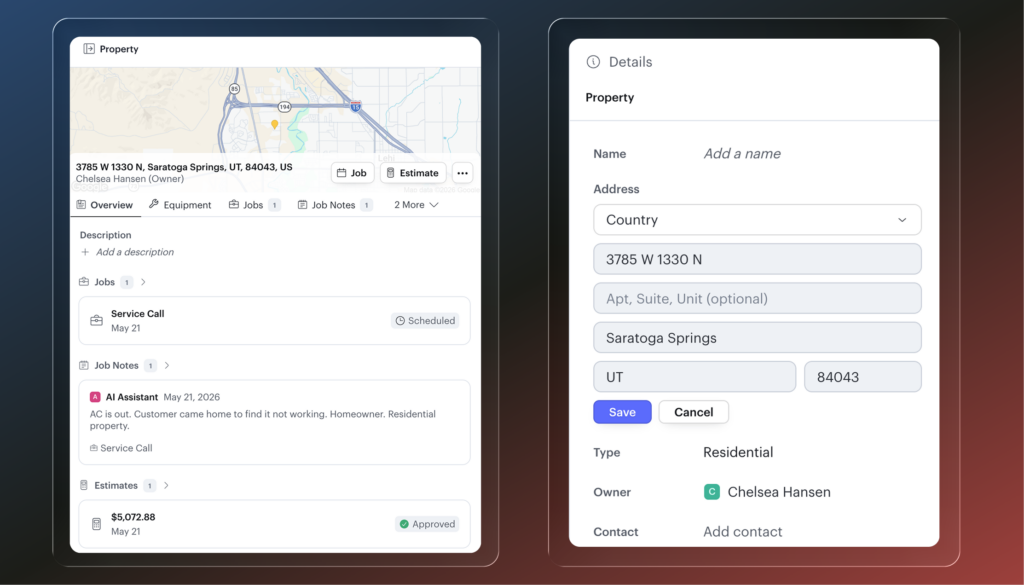
Fix a wrong address without leaving your workflow. From any property or job, open the Details tab, click edit on the address, make the change, and save. You can also swap out the property entirely or add a new one directly from the job if the work is at a different location.
Job Details Now Available in the Side Panel
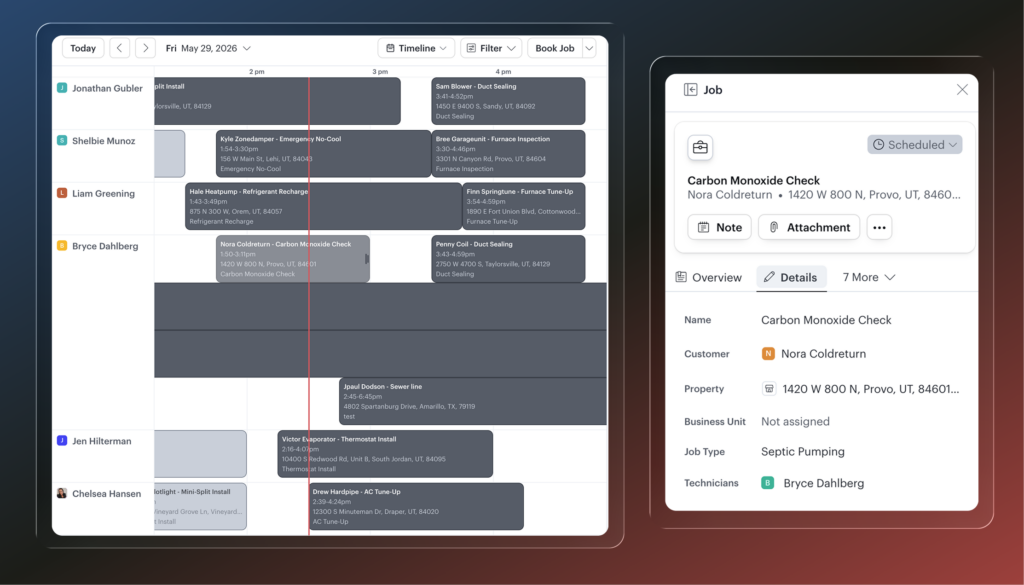
Job details now show as a tab directly in the job panel. Click the Details tab to view and edit job info without opening the full job record. Name, customer, address, job type, technician, and more, all accessible right where you’re already working.
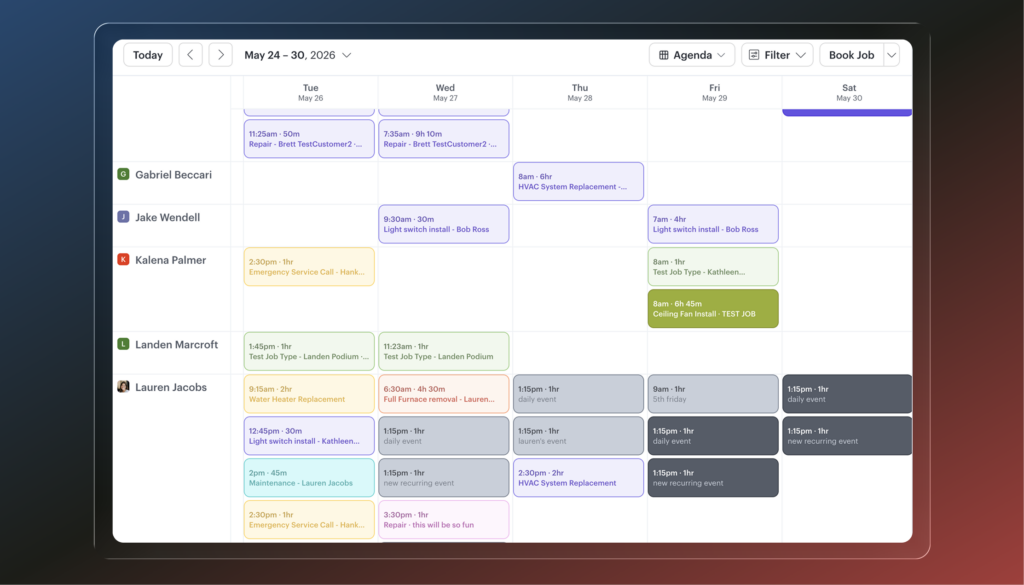
Agenda Calendar View
A new dispatch-grid style calendar view that gives each technician their own row across the full week. Jobs appear as boxes sorted by time so you can see everyone’s schedule at a glance. Built for any team that prefers a grid layout over a traditional calendar.
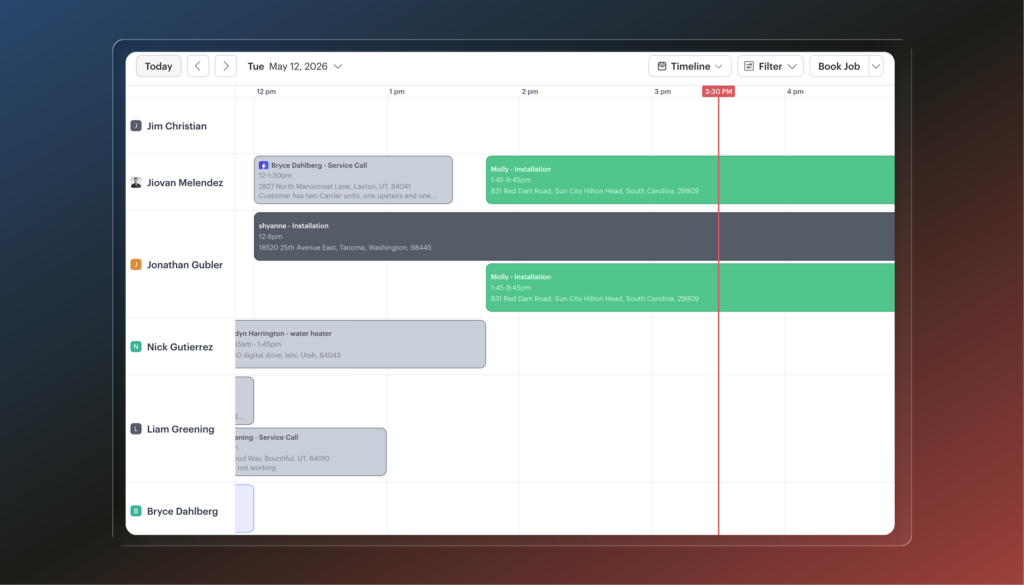
See every tech’s day at a glance with Timeline View
When techs have overlapping jobs, the calendar gets hard to read. The new Timeline View gives each technician their own row and expands it when appointments overlap, so every job is visible and nothing gets buried. Find it under Schedule, or tap T to jump straight there.
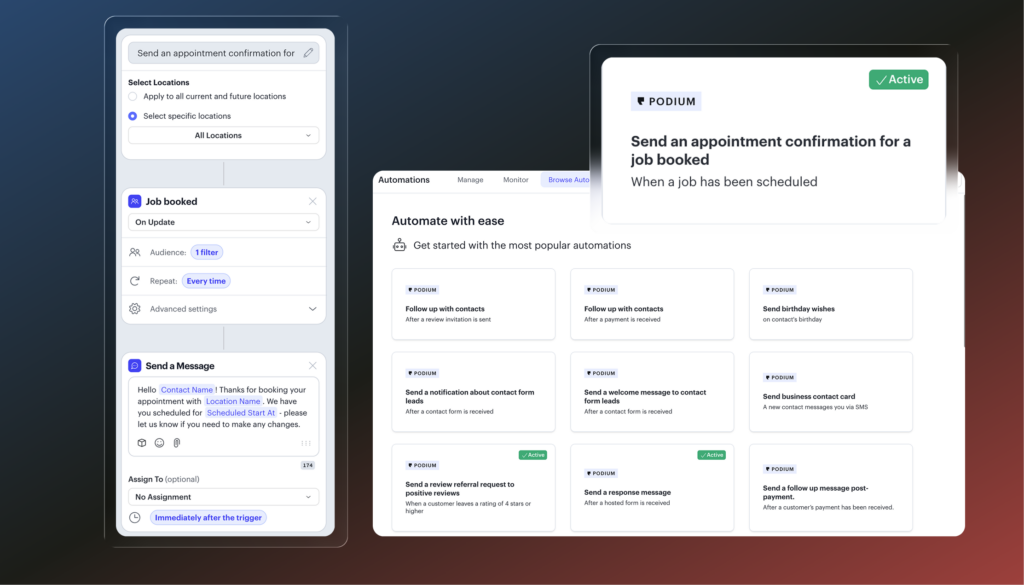
Three Automations Worth Turning On Today
Three ready-to-go automations you can set up in minutes, no configuration required. Head to Automations → Browse Automations to find them.
- Appointment confirmation. Fires the moment a job is booked, so customers get an instant confirmation that their appointment is on the calendar.
- Appointment reminder. Sends automatically the day before, starting at 9am (adjustable to fit your business hours).
- Review request after payment. Triggers when an invoice is paid and sends the review invite without anyone having to remember.
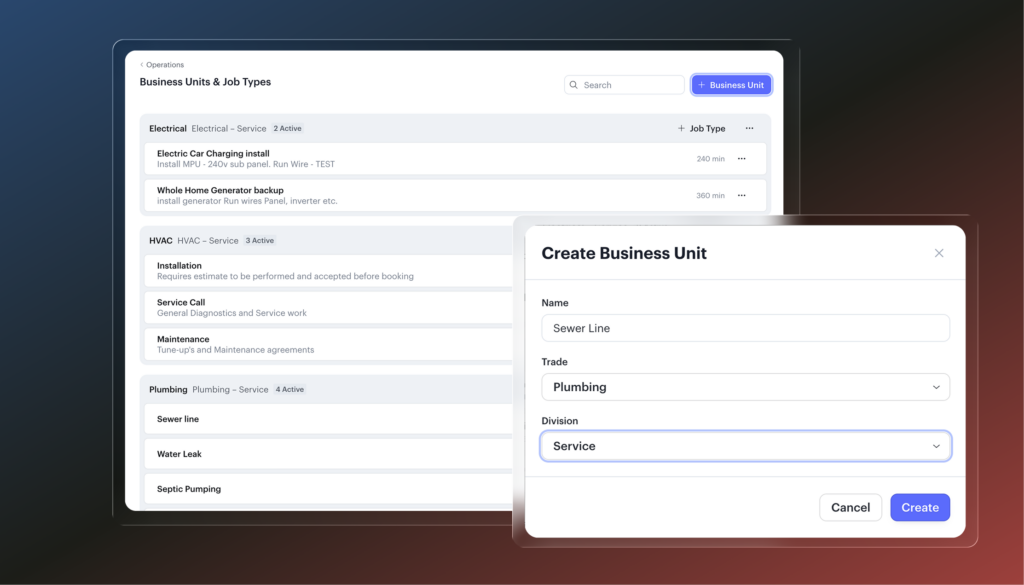
Organize Your Calendar by Trade or Division with Business Units
If you run HVAC, plumbing, and electrical under one roof, your calendar and job types can now reflect that. Business units let you group job types by trade or division, assign the right techs to each, and filter your dispatch board so you’re only seeing what’s relevant. Book a job and the right techs surface automatically based on who can do that type of work.
See Your Margin Before You Send the Estimate
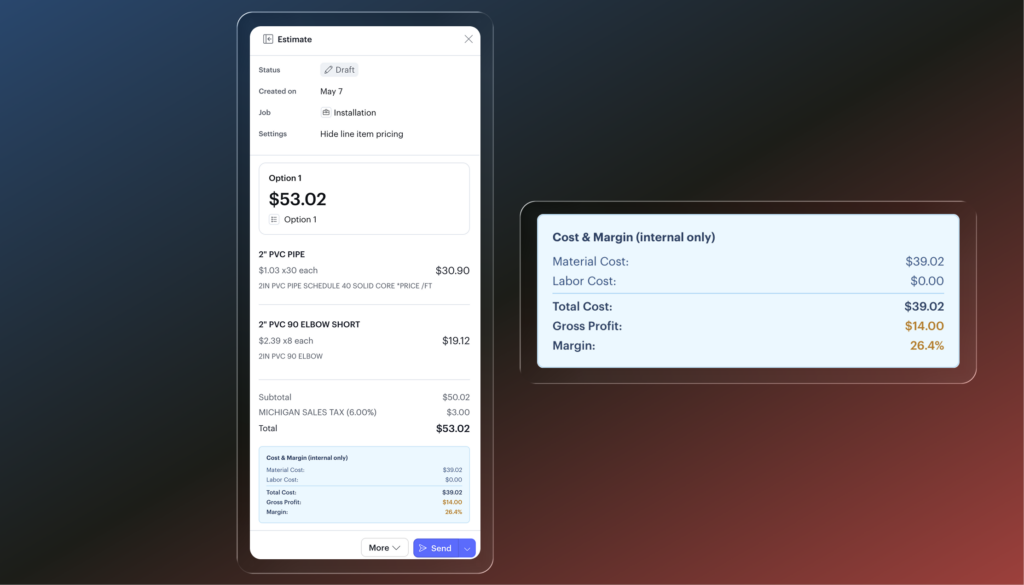
Estimates and invoices now show material cost, labor cost, total cost, gross profit, and margin percentage right below the total. Build a quote and know before you send it whether you’re hitting your target. After the job, see exactly where margin went. Visible to account owners only, never shown to techs or customers.
Multiple Disclosure Templates
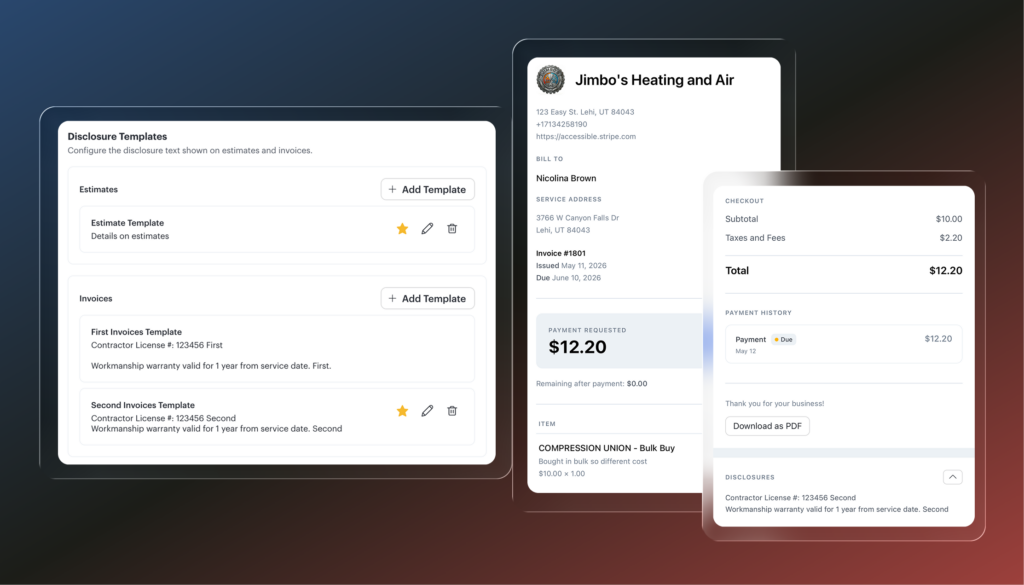
When techs build estimates or invoices in the field, they’ll now be prompted to select the right disclosure template before submitting. If you only have one template, it applies automatically and nothing changes. If you run multiple trade types or job types that need different disclosures, your techs get the right one every time.
Aesthetics & Wellness
Available for customers on Podium EMR
Tasks
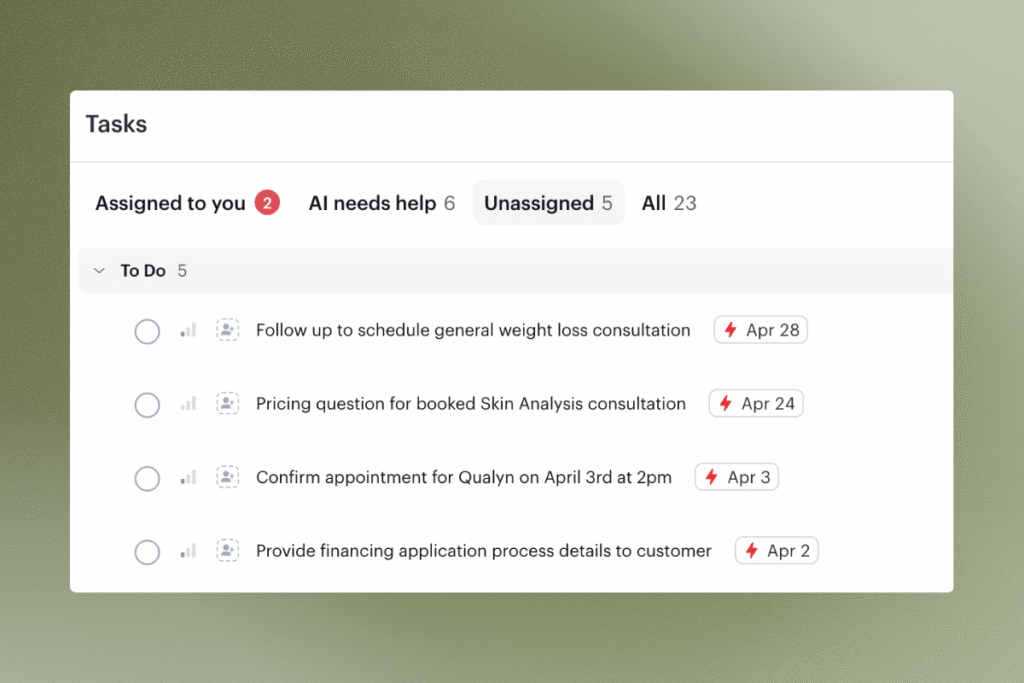
Stay on top of every to-do in one centralized place. Create tasks, tag related contacts, assign ownership to specific team members, and set priority levels so nothing slips through the cracks. Tasks also show where Avery needs human support, and incomplete charts and medical director sign-offs automatically generate linked tasks.
Enhanced Wallet View on Patient Profiles
View and manage customer credits, vouchers, loyalty points, memberships, and packages in one place. See where benefits came from, track issuance and redemption activity, click into related invoices, and export wallet activity to CSV.
Enhanced Wallet View on Patient Profiles
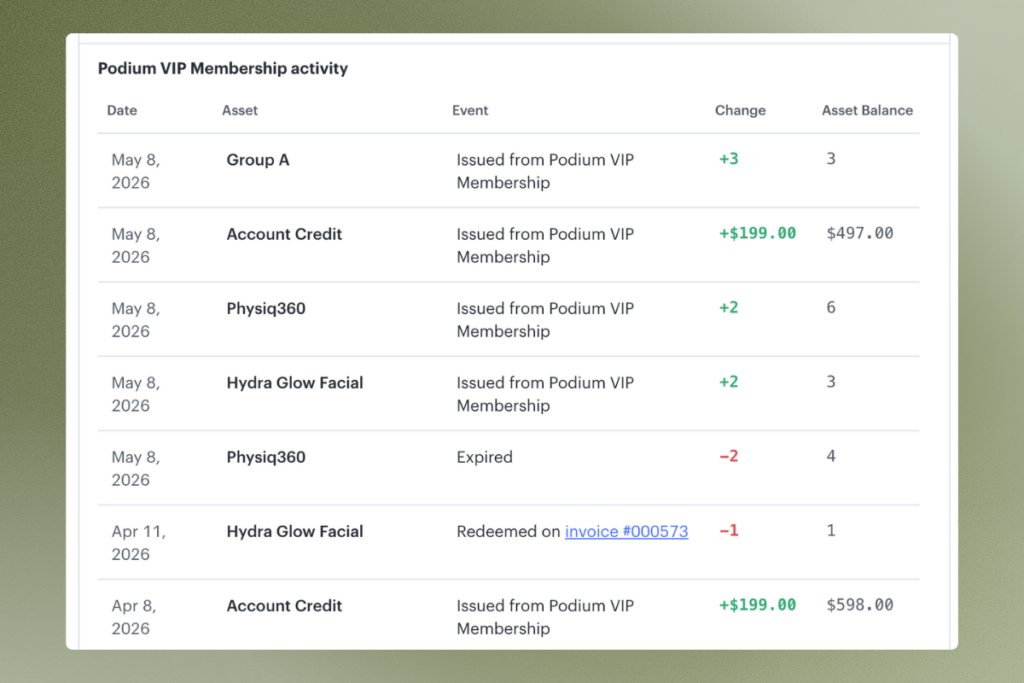
View and manage customer credits, vouchers, loyalty points, memberships, and packages in one place. See where benefits came from, track issuance and redemption activity, click into related invoices, and export wallet activity to CSV.
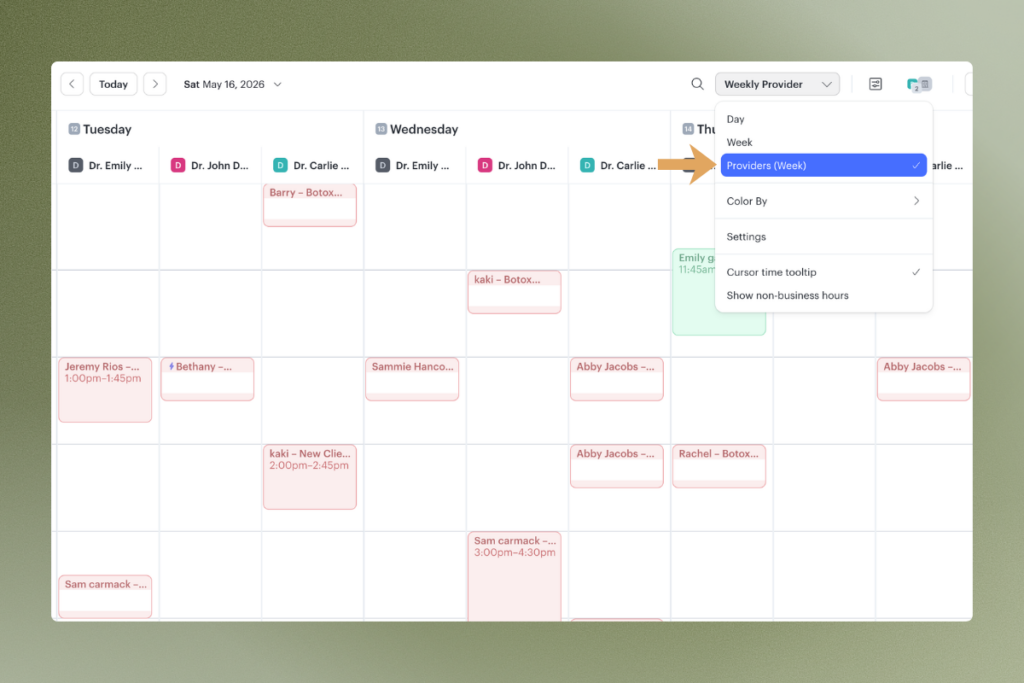
Week by Provider Calendar View
See each provider’s full week side by side in one calendar view. Makes it easier to compare availability, manage appointments across your team, and spot scheduling gaps at a glance.
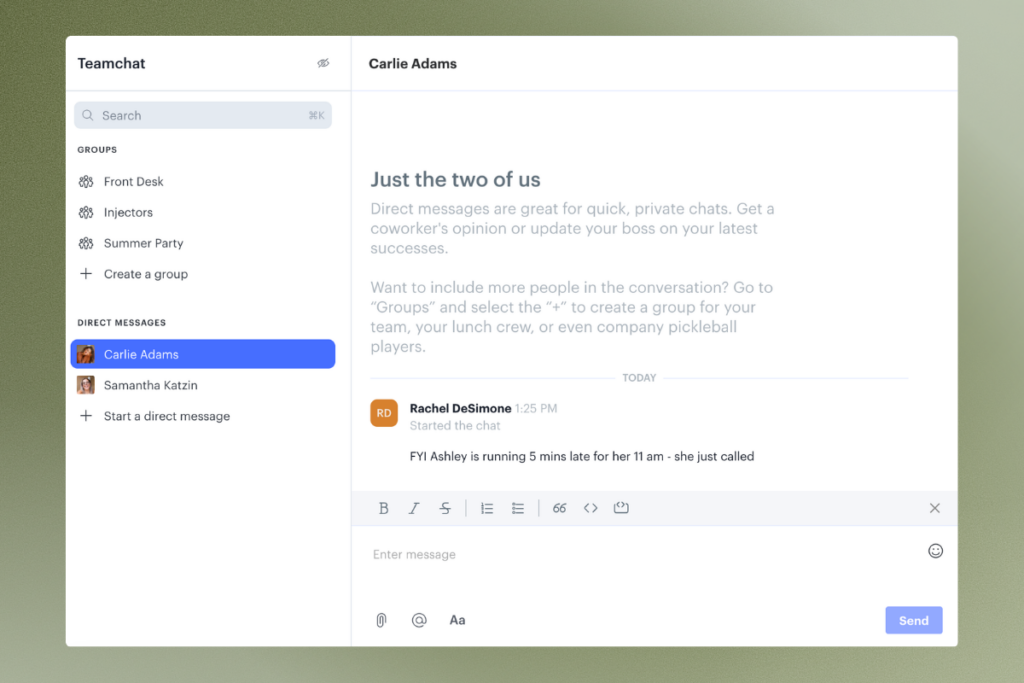
Teamchat, Now on Mobile and iPad
Communicate with team members without leaving Podium. Send direct messages or group chats from desktop, mobile, or iPad so your team stays connected wherever they’re working.
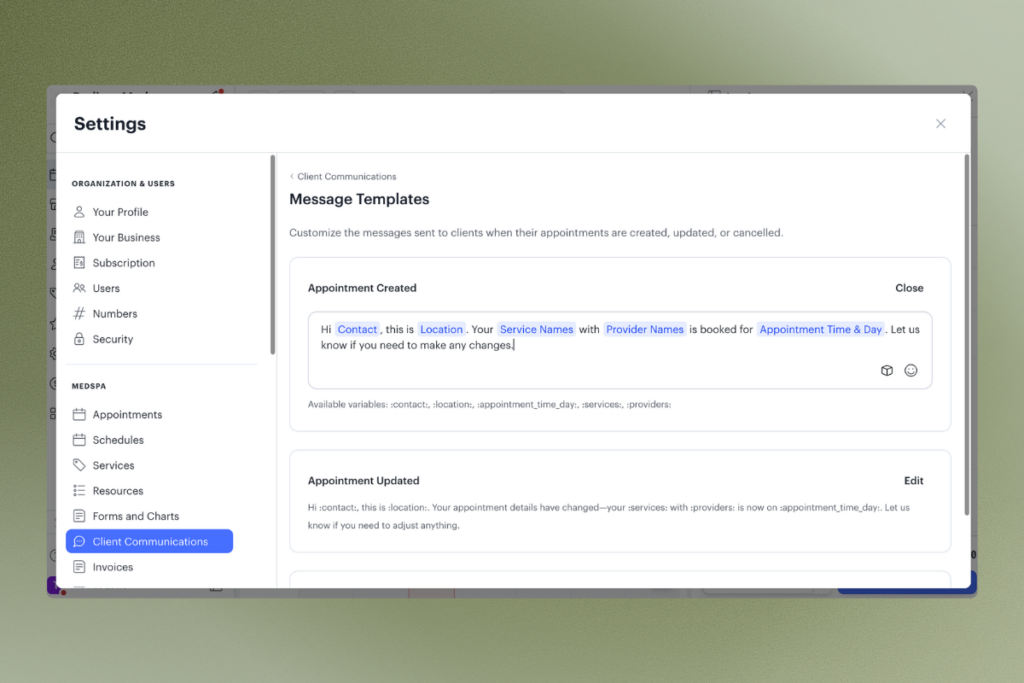
Automated Client Communication Templates
Edit and customize the messages sent to clients when appointments are created, updated, or cancelled, as well as membership communications. Match your voice and your business across every automated touchpoint.
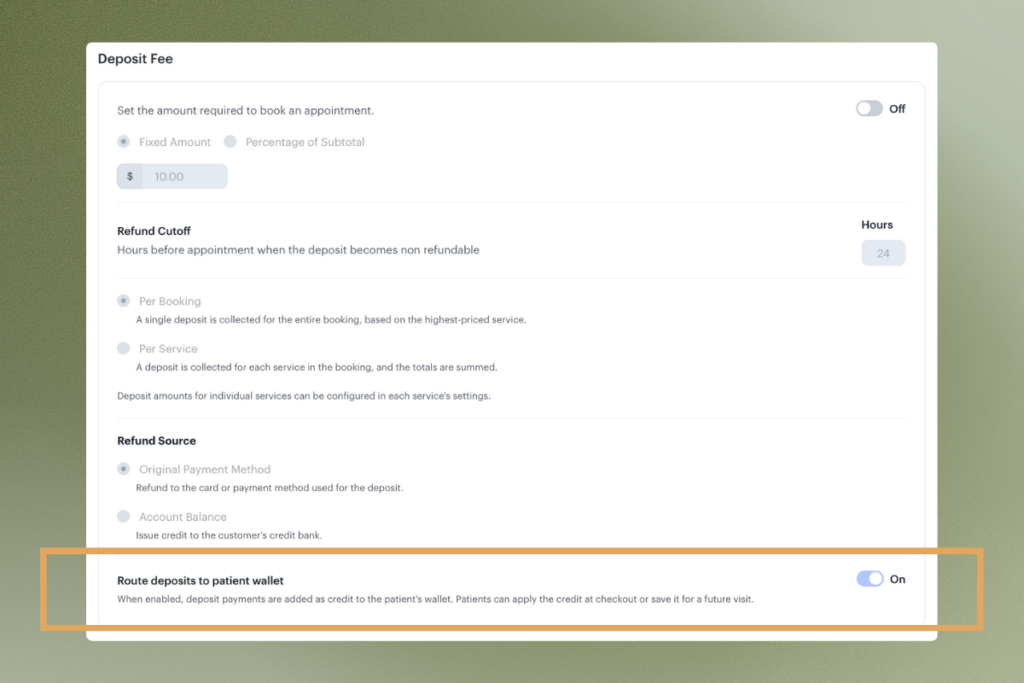
Apply Booking Deposits as Credits
Automatically apply booking deposits as credits in the patient wallet to be used toward future services. Customers keep the value, your team doesn’t have to manually track it, and cancellations stop costing you goodwill.