Here’s what’s new at Podium
AI Voice Policies
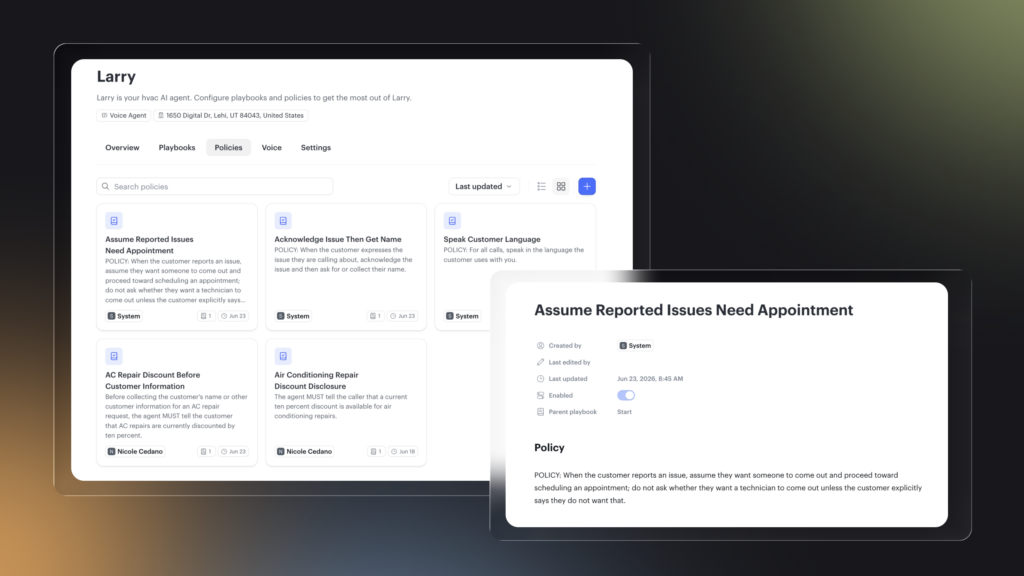
You can now create and manage policies for Voice AI directly in AI Studio, the same way you’ve been managing policies for Text AI. Set policies at the global level or tie them to a specific playbook. A built-in policy-writing agent checks for conflicts with your existing instructions before anything goes live and flags issues with a recommended fix if it finds one.
Test Bench: See how your AI performs before it goes live
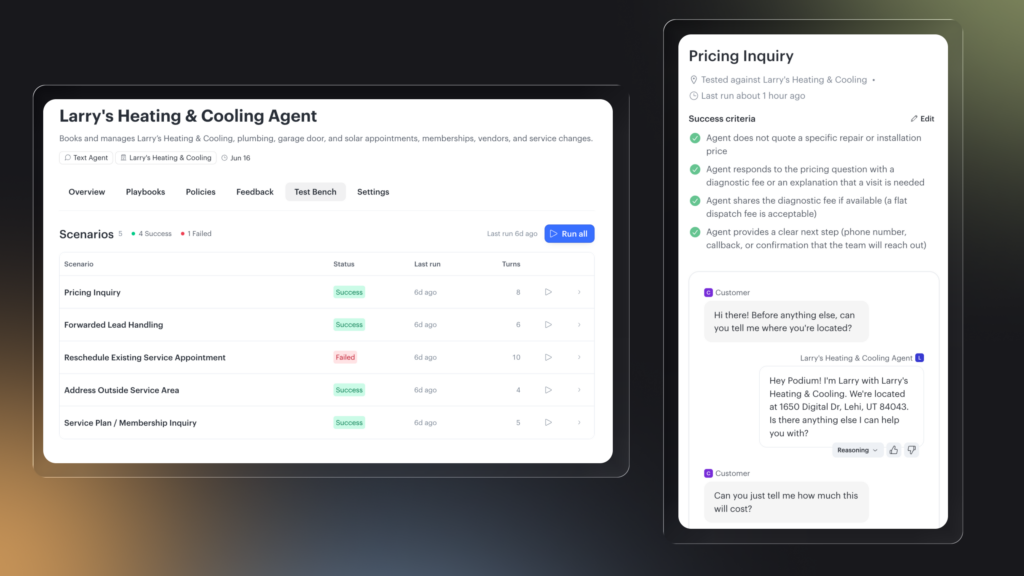
Test Bench is a new automated testing suite in AI Studio that runs simulated conversations with your AI to make sure it’s performing the way you expect. Each scenario comes with editable success criteria so you can define what a good conversation looks like. When you set up a new agent, Test Bench runs before your agent goes live. Review the results, leave feedback if something’s off, and approve when you’re ready. You can also run scenarios on demand anytime from the Test Bench tab.
AI-detected opt-out requests
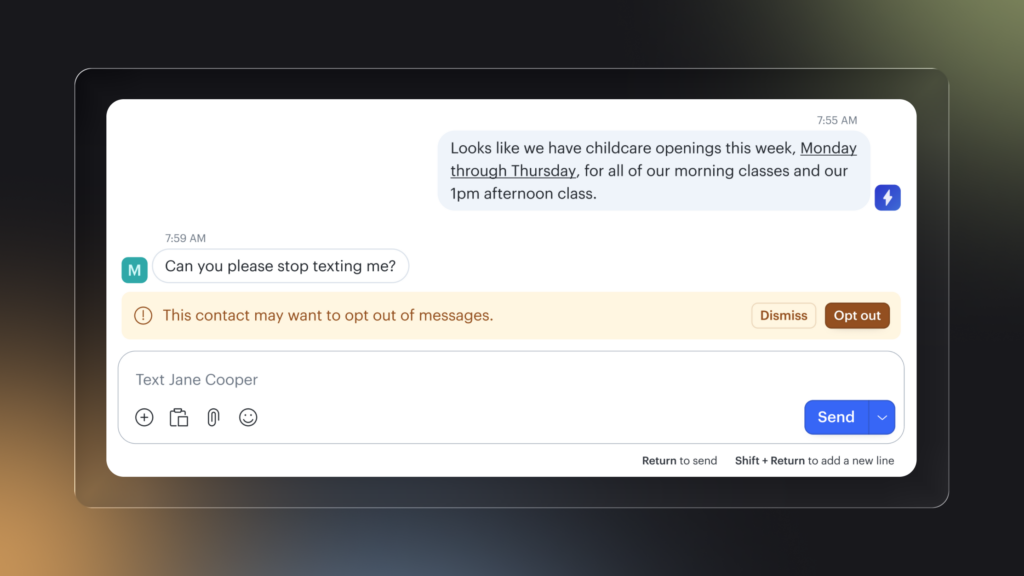
Your AI can now recognize when a customer asks to stop receiving messages, even when they don’t use standard keywords like “STOP.” When that happens, the conversation gets flagged so your team can manage the opt-out directly.
Home Services
Available for customers using Podium AI Operating System
Keep jobs moving with new home services automations
Five pre-built automations are now available for Home Services customers in the Browse Automations page, ready to turn on in minutes. Each one can be fully customized to match your timing and messaging preferences.
- 7-day on-hold follow-up: Automatically checks in when a job has been sitting on hold for a week and nudges the customer to schedule.
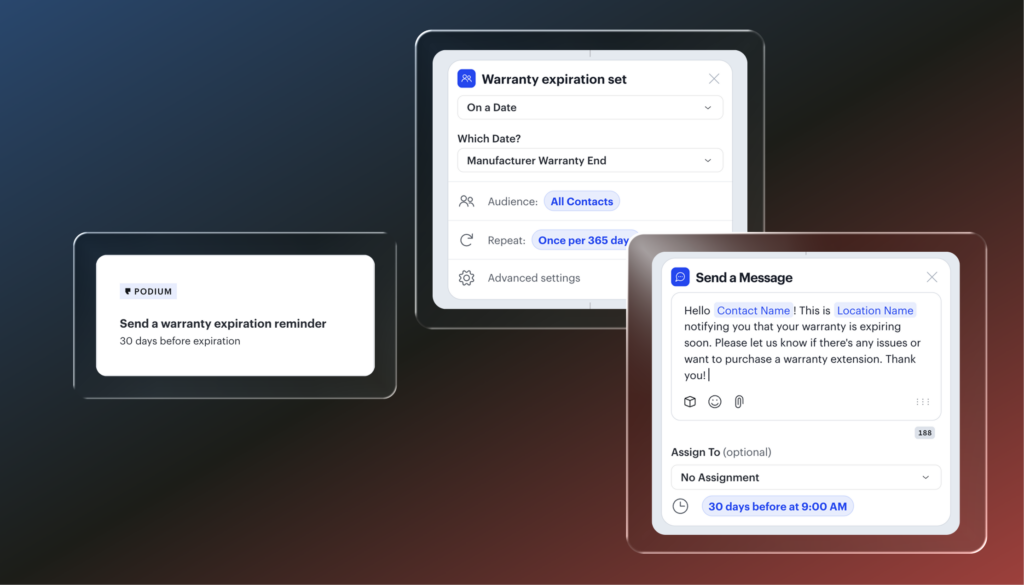
- Warranty expiration reminder: Sends a heads-up to the homeowner 30 days before their warranty expires.
- 7-day post-job thank you: Sends an appreciation message a week after a job wraps up.
- Unpaid invoice alerts: Sends three scheduled nudges when an invoice goes overdue.
- Post-job review request: Asks for a review right after a job is completed.
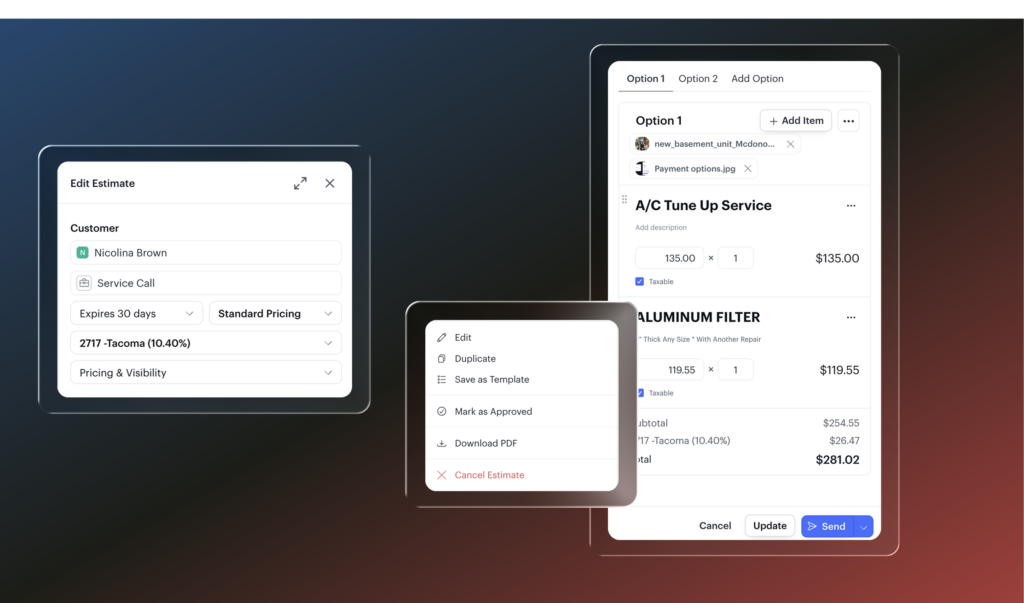
Edit estimates until they’re approved
Estimates can now be edited after they’ve been sent, just like invoices. Update pricing, line items, expiration dates, and more. The customer’s link reflects the latest version automatically, and you can re-send to notify them of any changes.
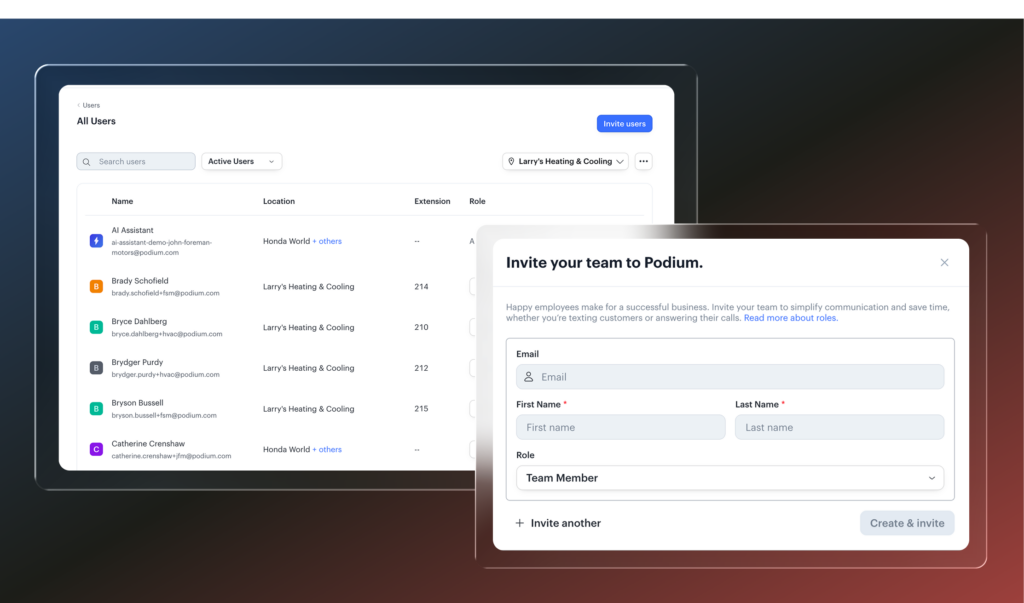
Instant user setup when you send an invite
When you invite a new user from Settings → Users → Invite Users, their account is created immediately. Set their email, assign permissions, and send. They’ll get a link to set their password and they’re in.
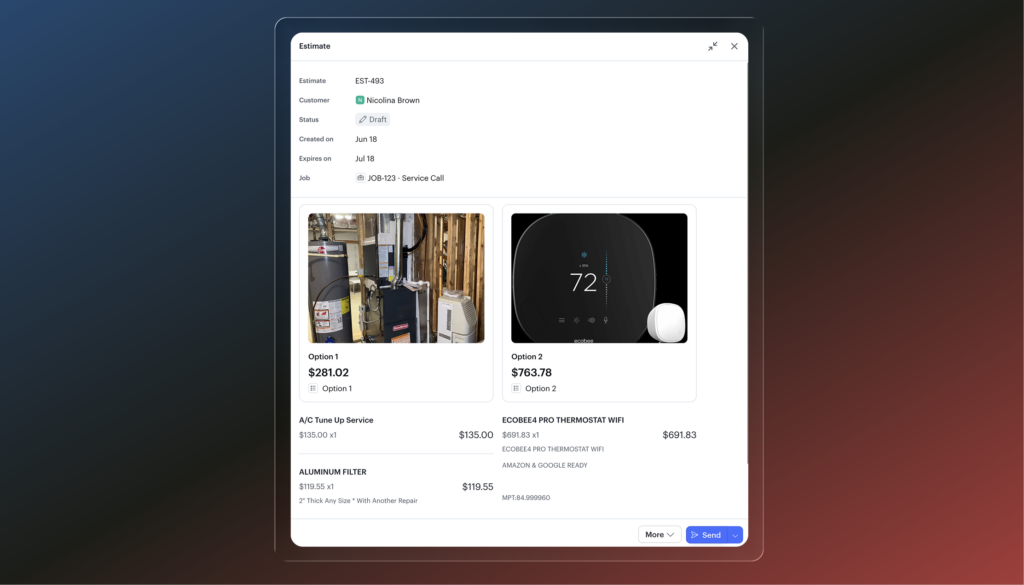
Multiple attachments on estimates and invoices
Attach PDFs and images directly to estimates and invoices. Customers get a gallery view, can enlarge images, and can open or download any attached files—all before they select an option. Works on blank estimates and templates. When you create an invoice from an estimate, attachments carry over automatically. Note: attachments won’t show on the invoice edit screen yet—but they are there when you save the draft.
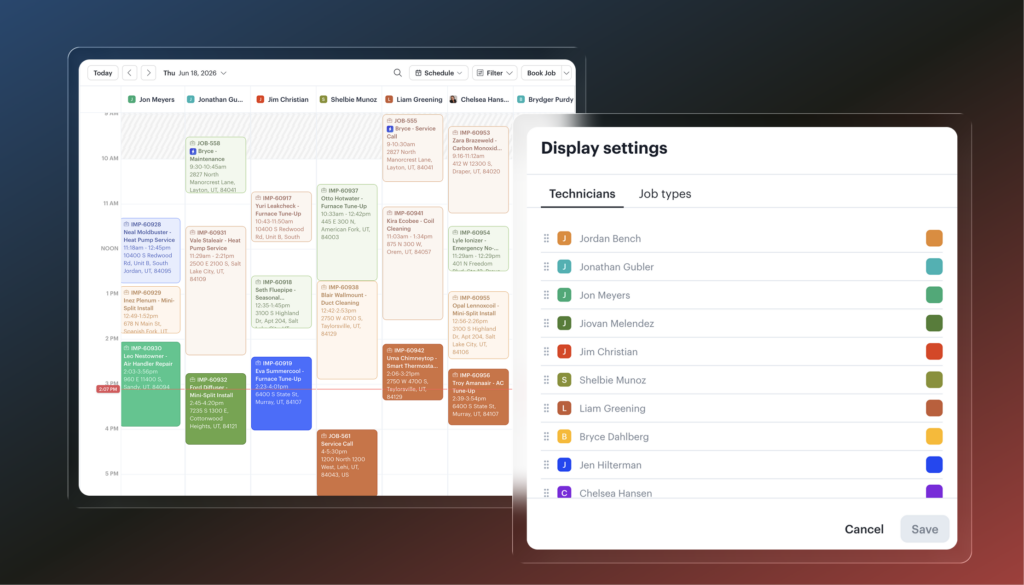
Technician ordering on the calendar
You can now set the display order for your technicians in the calendar. Go to Schedule > Display Settings, drag them into whatever order makes sense for your shop, and save.
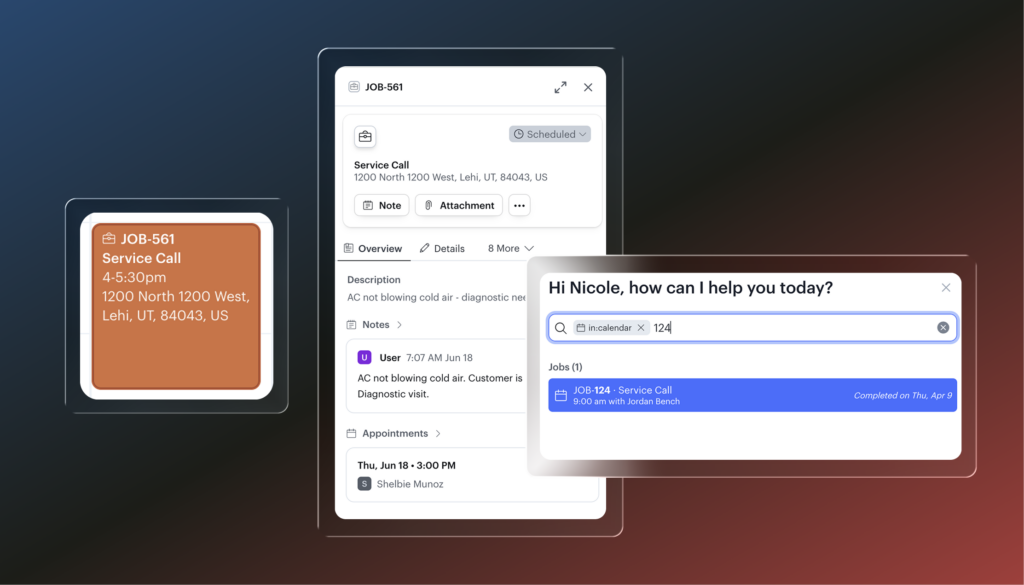
Job numbers
Every job now has a unique job number you can reference from the calendar, the job sheet, customer profiles, estimates, and invoices. You can also search by job number directly.
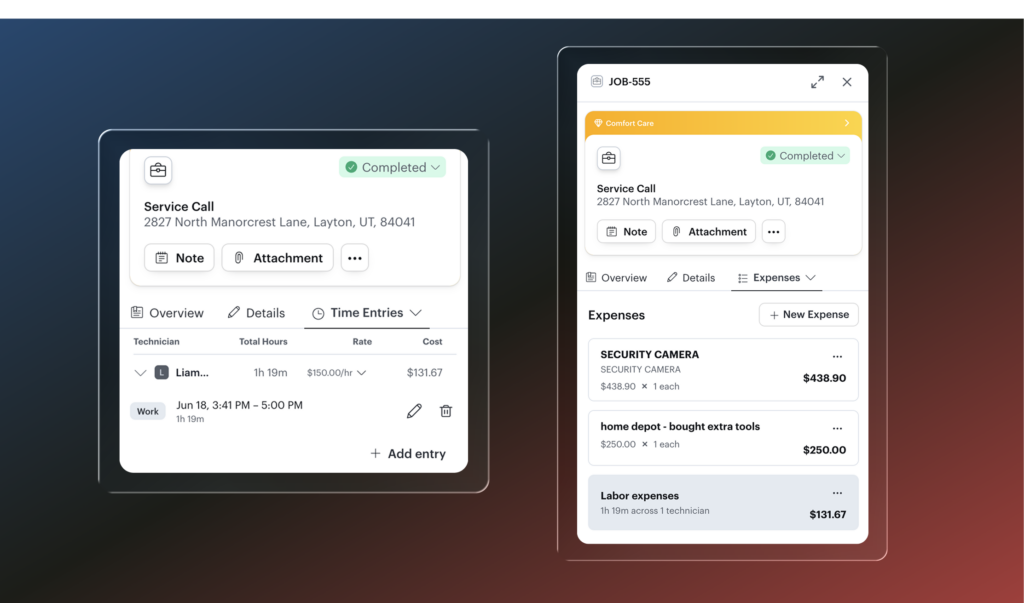
Expense tracking
Track expenses at the job level from the Expenses tab. Add items from your price book, log labor, or create custom line items. Everything totals up so you have a running view of what a job is costing you.
Aesthetics & Wellness
Available for customers on Podium EMR
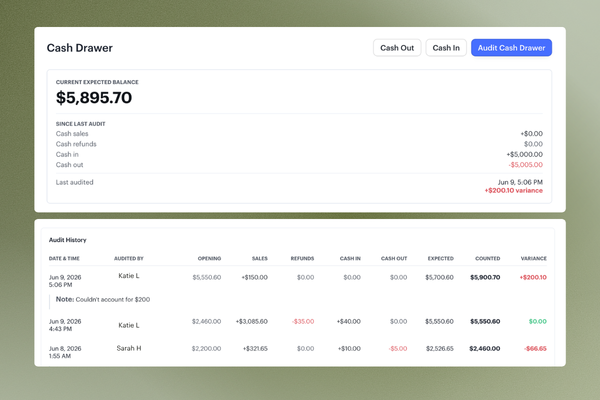
Cash drawer
Track and reconcile cash activity in one place. Cash in/cash out, transaction history, and an audit log give managers a clear record of who audited the drawer, what was counted, and any notes on discrepancies.
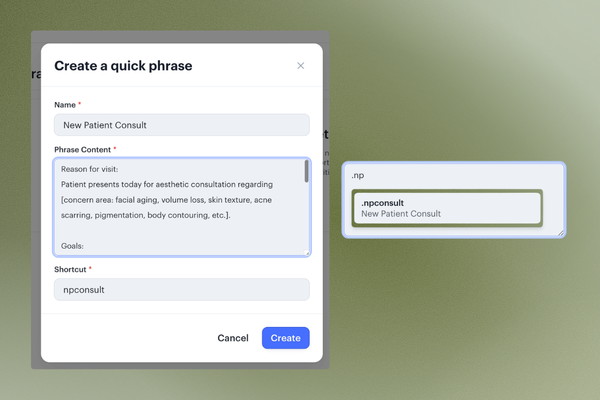
Quick phrases
Insert commonly used text into charts and notes by typing a dot shortcut. Type something like .npconsult and your new patient consult text drops in automatically.
Telehealth (beta)
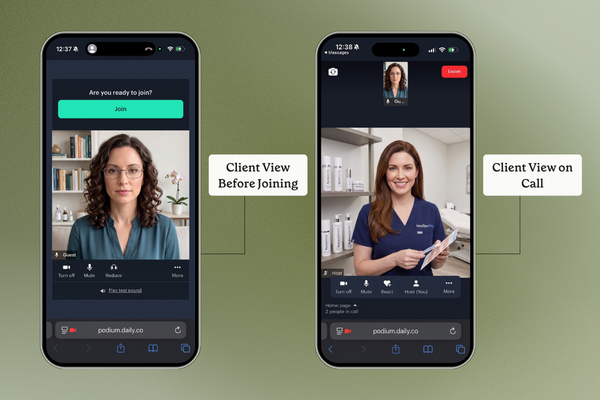
Offer virtual visits for consultations, check-ins, and any appointment that doesn’t require an in-person visit. Telehealth appointments can be booked online or by staff and include automatic video link generation, reminders, and call summaries and transcripts.