Here’s what’s new at Podium
Voice AI overview and Calls tabs
See what your Voice AI handled, how calls ended, and how satisfied callers were, all in one place.
Voice transcript translation
Translate any voice transcript with one click, so teammates who don’t speak the caller’s language can review it.
Audio playback and transcript refresh
Choose playback speed, view speaker and AI audio responses separately, jump to any point in the conversation from the playback bar or transcript, and follow along as the transcript highlights while it plays.
Insights in AI Studio
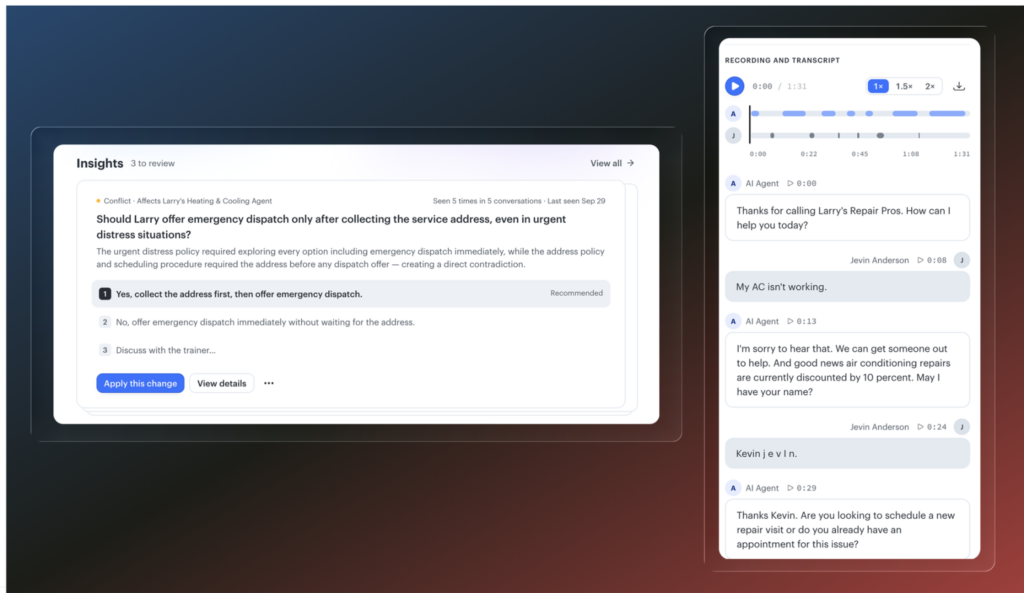
AI Studio now shows proactive recommendations for improving your AI agents. Podium detects problems in your agent setup and proposes fixes you can apply.
Home Services
Multi-location support for FSM
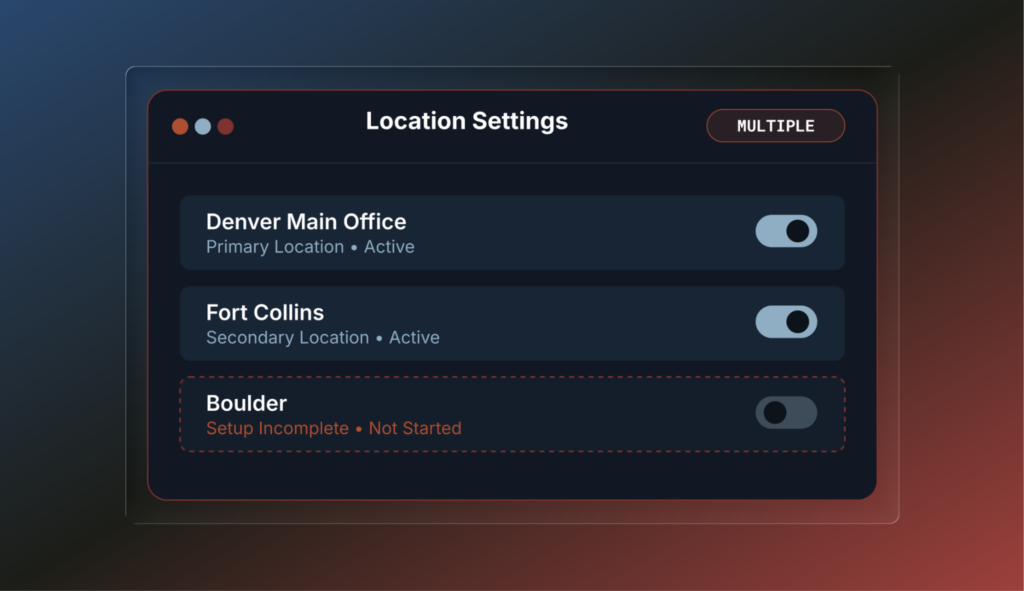
Run multiple locations from one Podium account. Built for HVAC, plumbing, electrical, and garage door businesses that use Podium FSM.
Smart Booking
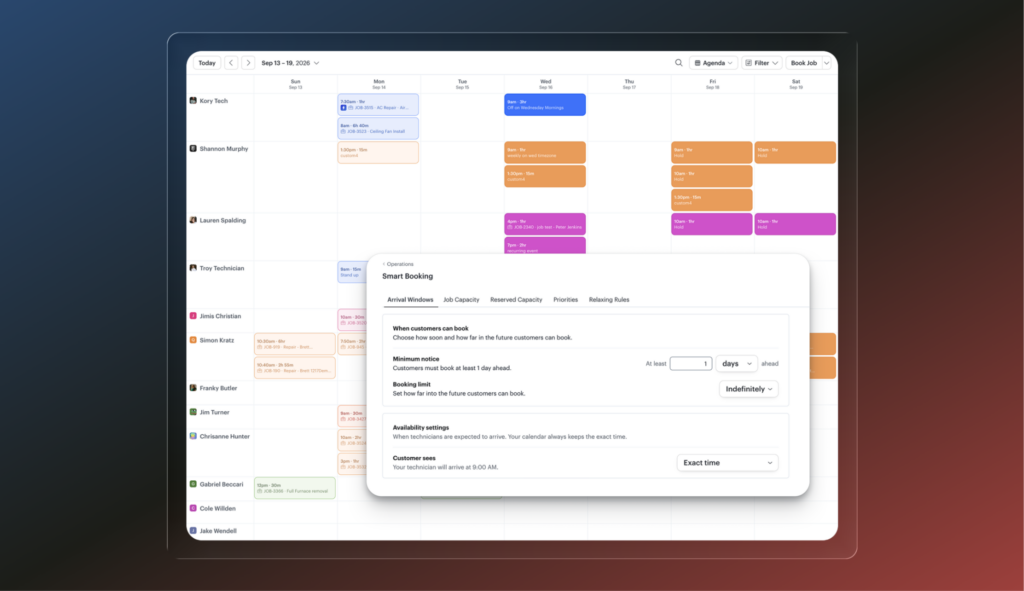
Control which appointment types your AI offers and in what order, so it doesn’t fill your calendar with one job type. Booking can factor in route density, technician fit, and gap fill to keep schedules efficient.
Inventory, restock lists, and suppliers
Track what your techs use without counting shelves. Usage comes from materials billed on invoices, and restock comes from received purchase orders. Build restock lists that split by supplier and turn into purchase order drafts automatically, and compare supplier pricing from your order history.
Job costing in FSM
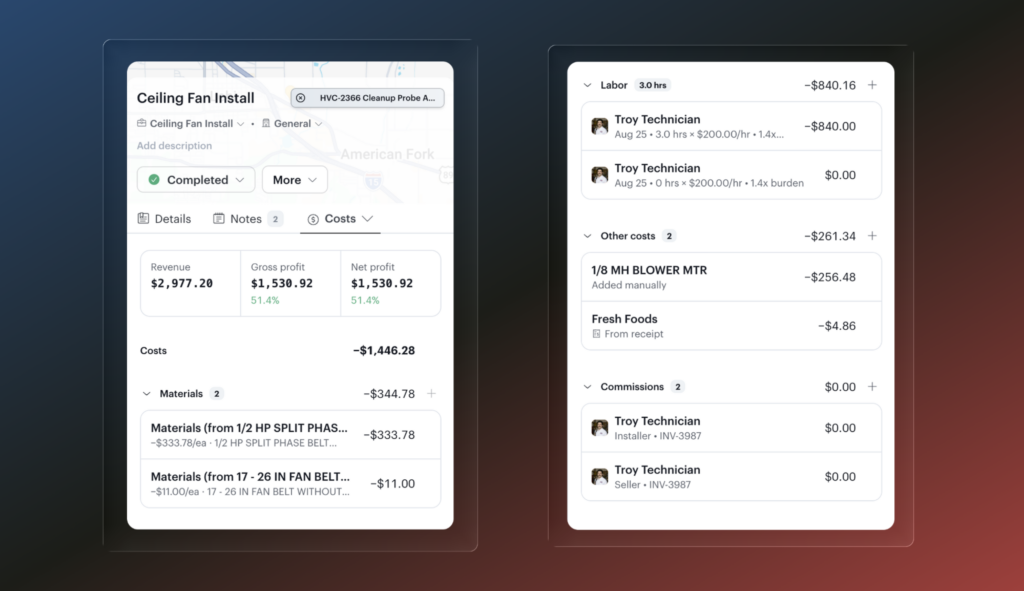
See a profit and loss on every job. Materials, labor, expenses, and commissions roll up against what the job invoiced, showing gross and net profit on the job sheet.
Reporting library for FSM
Pre-built reports so you can see exactly how your business is running and export anything you need.
- Job revenue
- Job type
- Business units
- Open invoices
- Technician production
- Technician leaderboard
- Technician time
- Estimates funnel
- Estimates by team member
QuickBooks Desktop: simpler setup and more reliable sync
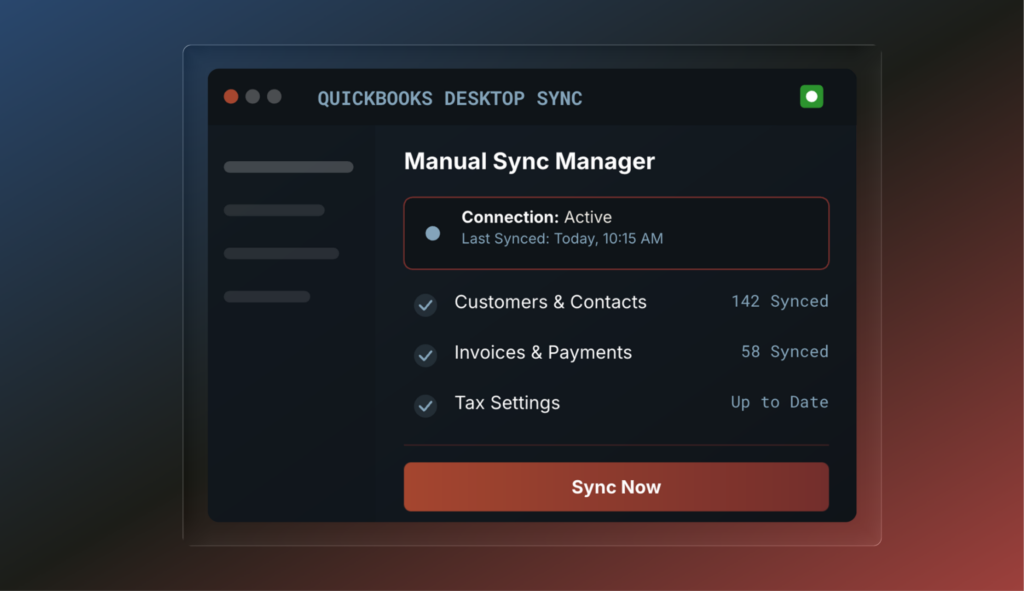
Connecting QuickBooks Desktop is now simpler, with better reliability, visibility, and control over syncing invoices. Send any eligible invoice to QuickBooks with one click, see whether the handoff worked, or switch to manual sync if you’d rather send invoices yourself.
Auto
A sales calendar that matches service
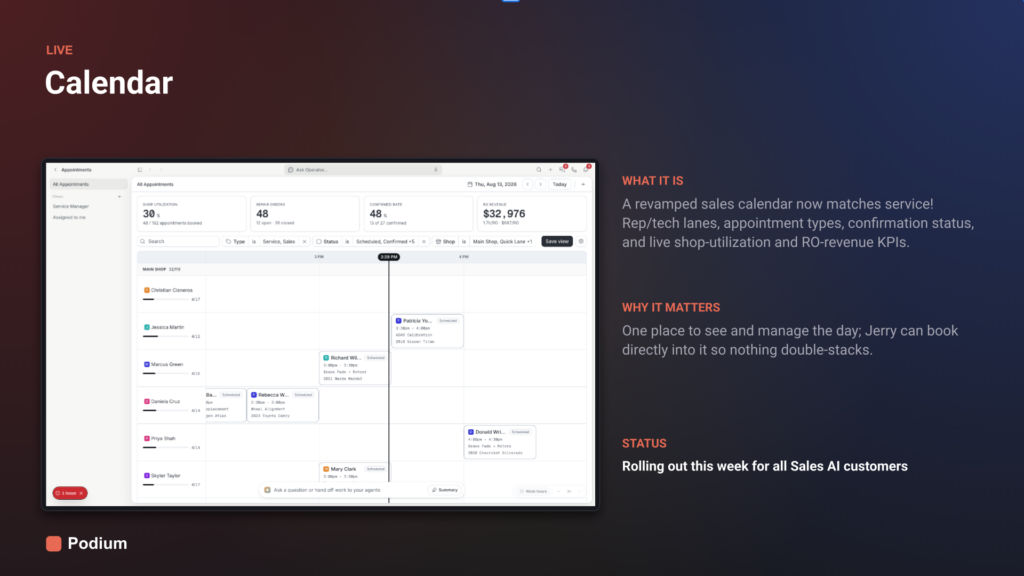
The sales calendar has been rebuilt to match the service calendar. See rep and tech lanes, appointment types, and confirmation status, plus live shop-utilization and RO-revenue KPIs. Jerry can book directly into the calendar, so appointments never double-stack, and you can see and manage the whole day in one place.
Vehicle pages with live inventory
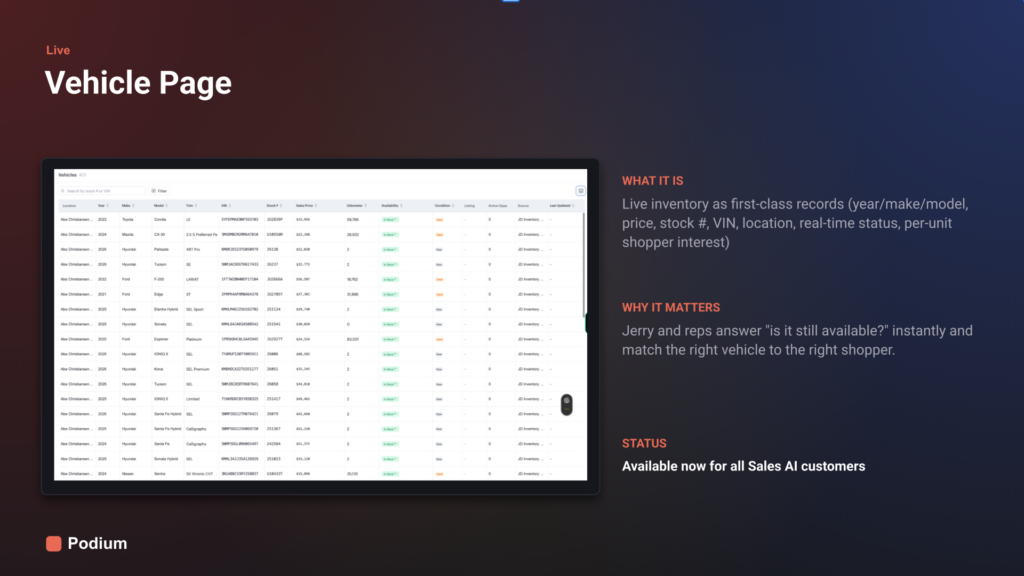
Every vehicle is now a record in Podium, with year, make, model, price, stock number, VIN, location, real-time status, and per-vehicle shopper interest. Jerry and your reps can answer “is it still available?” instantly and match the right vehicle to the right shopper.
Podium now books into CDK
Service AI and Voice AI can now book appointments directly into CDK. Podium also helps keep you from overbooking your bays, with capacity coverage set up during onboarding. Same-day appointments can’t be booked through the CDK integration.
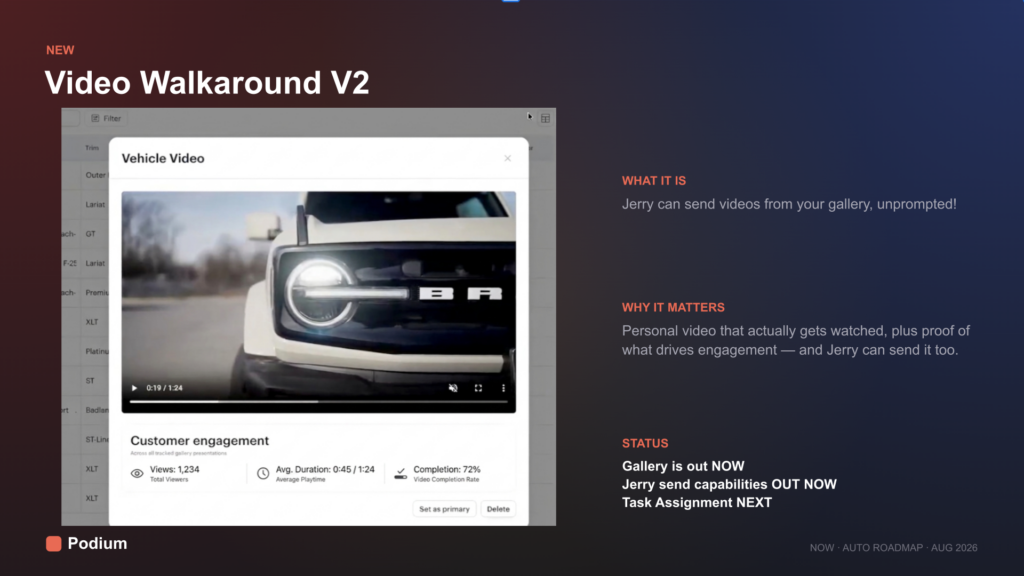
Jerry can send videos from your gallery
Attach a video from your gallery and send it to a customer from the inbox, and now Jerry can send videos from your gallery on his own when it will help a conversation. Customers tap to play right in the thread, and you can track delivery and engagement.
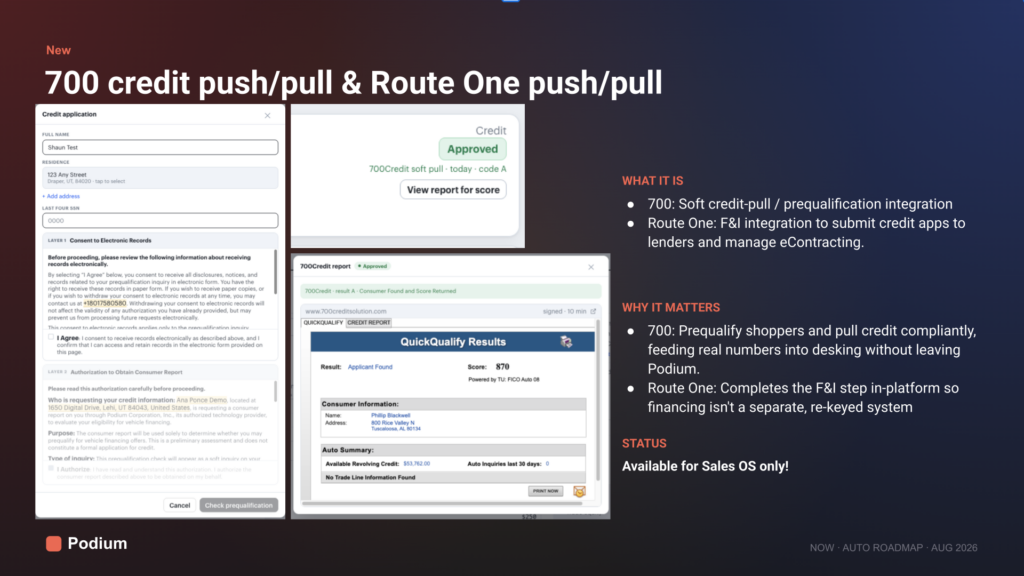
700 credit and Route One integrations
Prequalify shoppers with 700 soft credit pulls, and submit credit applications to lenders and manage eContracting with Route One. Both work inside Podium, so financing doesn’t mean re-keying into a separate system.
MedSpa
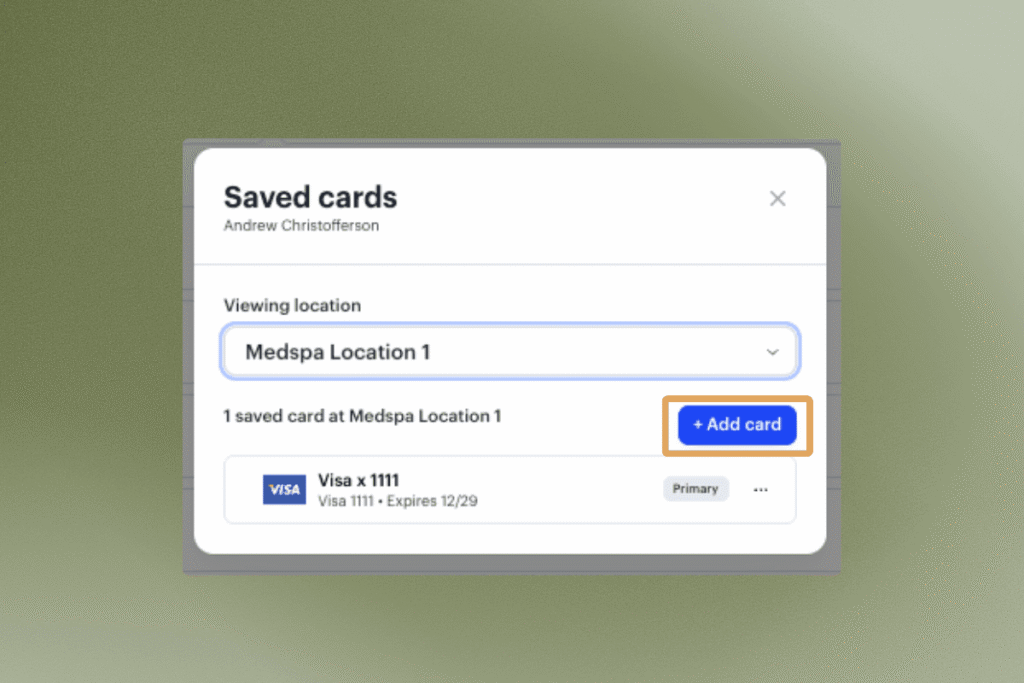
Save Multiple Cards on File
Clients can now store more than one card on file, with a designated primary card. Give cards nicknames for easy reference at checkout. Cards designated as primary will be charged for membership payments by default.
Where to find it in Podium: Client profile → Wallet → Saved payment method → Manage → Add card manually or send a secure link via SMS.
Record as many times as you need, for as long as needed
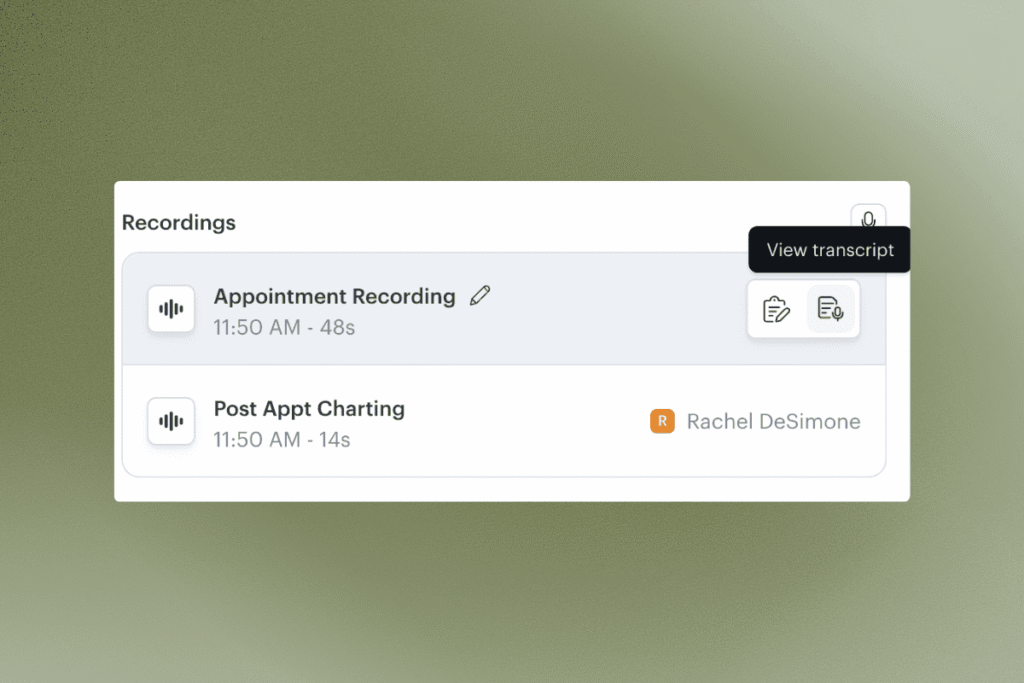
Now you can start, stop, and start recording again as many times as you want. Every recording lives on the appointment and can be renamed for easy reference.
Recordings can also run up to 8 hours — so long appointments are no longer an issue.
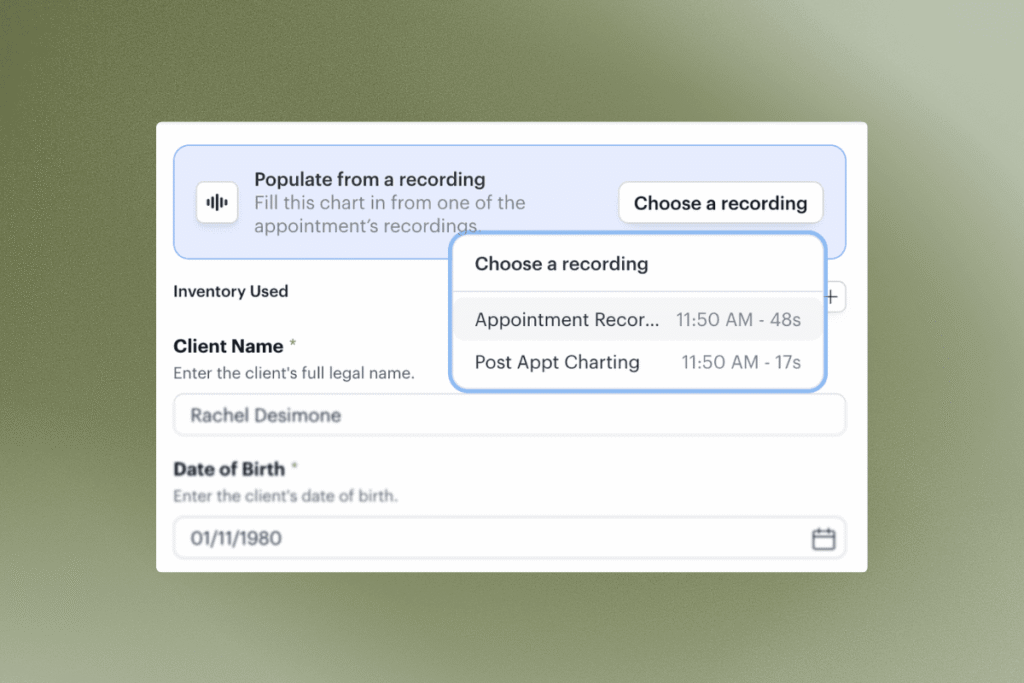
Apply any recording to any chart
From the recordings section, you’ll see the option to view the recording transcript or apply that recording to a chart.
Alternatively, when you open a chart on the appointment, you’ll see the option to Populate from a recording and you can choose which recording you want to use.
AI will pull the relevant details out of your recording and fill in the fields for you.
You can also apply the same recording to more than one chart if needed.
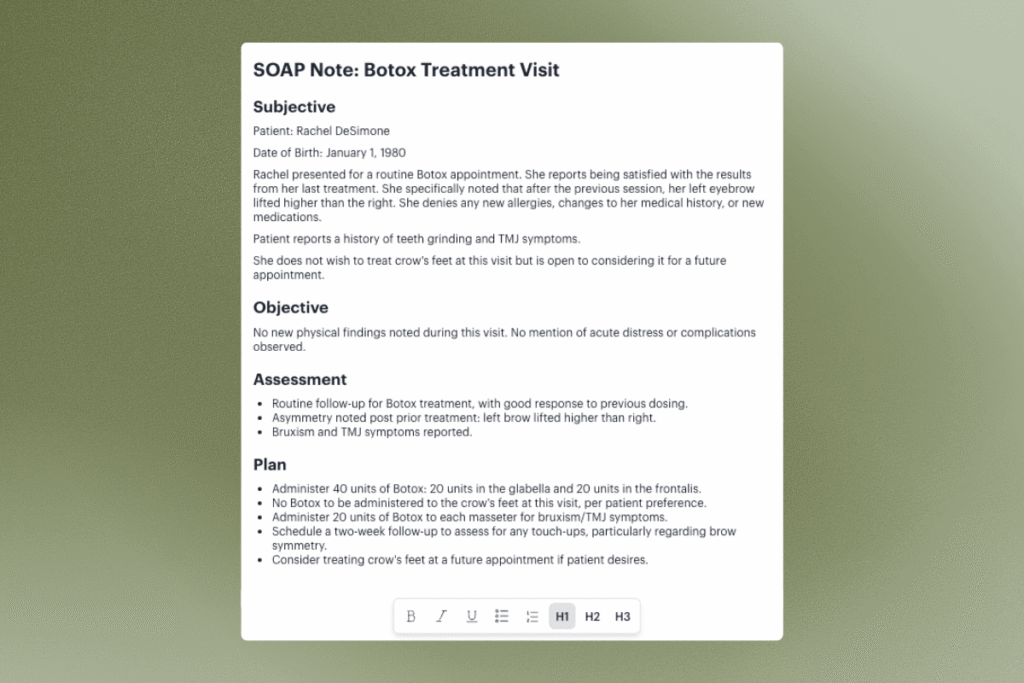
Auto-generated SOAP notes
Every recording on an appointment feeds into a voice chart on the appointment’s charts section — automatically formatted as a SOAP note. Even if you never apply a recording to a chart template, you’ll always have a clean, structured note waiting for you.
The voice chart has a full editor, so you can clean up, reorganize, or emphasize whatever you need before signing off. Dot phrases work here too.
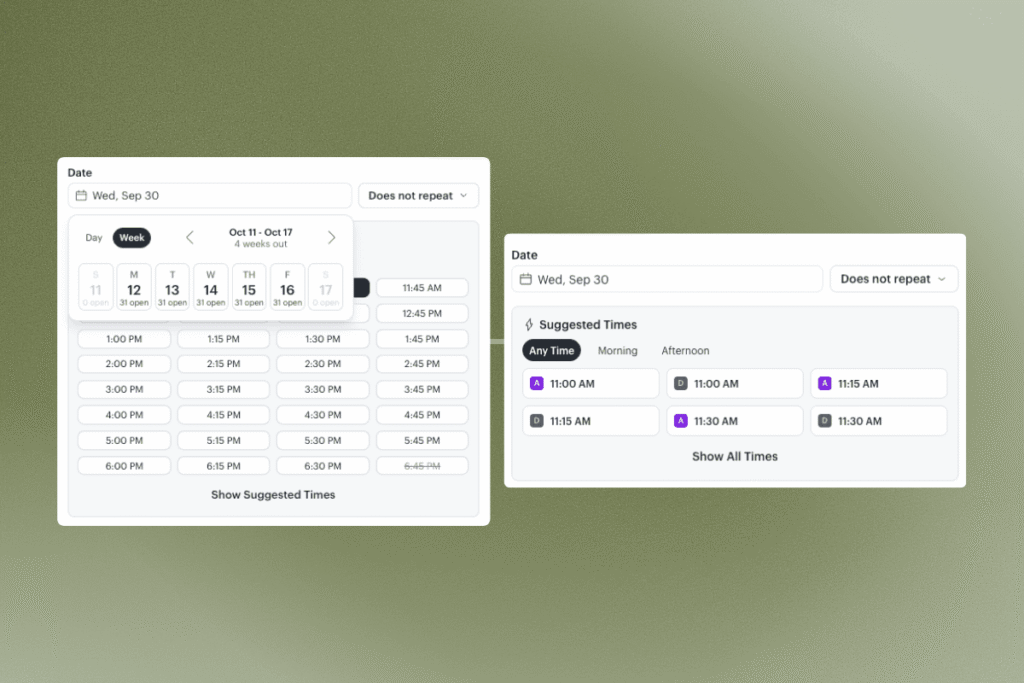
A Faster Way to Book
Booking an appointment used to require digging through the calendar and scanning provider schedules for an opening. Now, pick the service (and a preferred provider, if there is one) and open times surface automatically. Scan a few weeks out for a follow-up, or jump months ahead — all without leaving the appointment window. Suggested times show the earliest openings or expand to see all available times.
Available on mobile soon.
Send Membership Payouts to the Right Account
If you have more than one account for payouts, you can now pick exactly which one a membership plan pays out to. New plans respect the selection going forward; reach out if you need an existing plan updated.
Where to find it in Podium: Memberships > Create/Edit Plan > Payment account
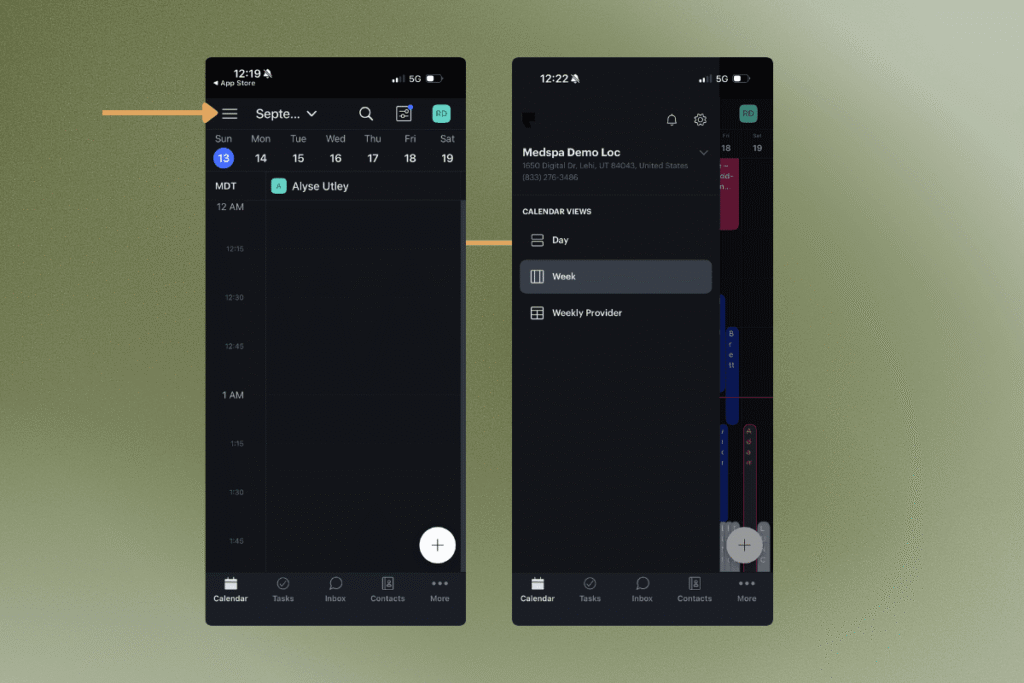
Calendar Sidebar on Mobile App: Switch locations and toggle between different calendar views from one tap in the top-left corner. Choose to view the schedule by day, by week, or the weekly provider view is now available on mobile.
Where to find it in Podium: Mobile app > Calendar > sidebar icon (top left)