New Podium browser extension
You can now use our Podium Pass Chrome extension to bring your Podium Inbox and AI Employees to any other web-based product. Send and receive messages, automatically detect and pull up Podium conversations, and assign/unassign your AI Employee, plus more. Visit the Chrome web store to download now.

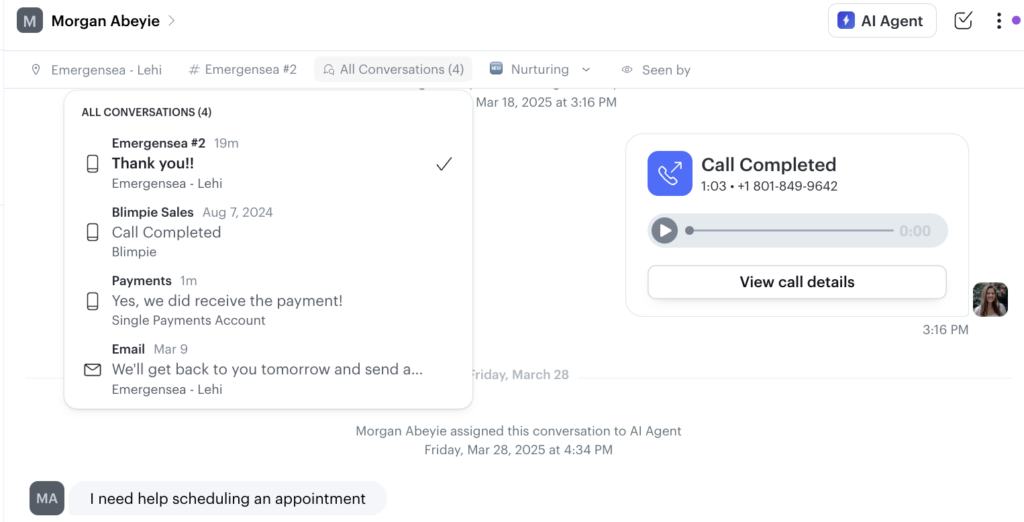
Linked Conversations
When you have conversations over different channels with a contact – imagine you are texting back and forth, then you send an email, now you can see all conversations linked in one place in the conversation, making it easier for you and the team to get up to speed faster.
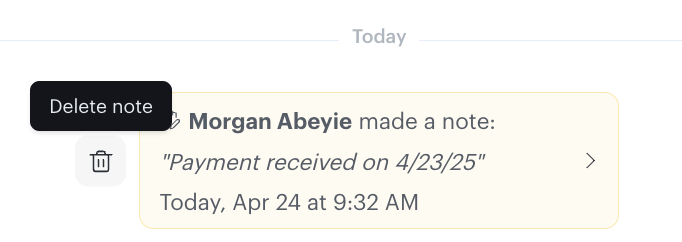
Delete Notes
Accidentally left an internal note? No problem, now just hover over the note to delete it from the conversation.
Location Level Reporting for Bulk Messages
The Bulk Message List will be filtered based on the location selected in the location picker. Only users in your locations will see your bulk message sends, drafts and scheduled messages.
Mobile: Group Calling
Seamlessly add additional participants to phone calls on the Podium Mobile App to get work done with your team and customers.

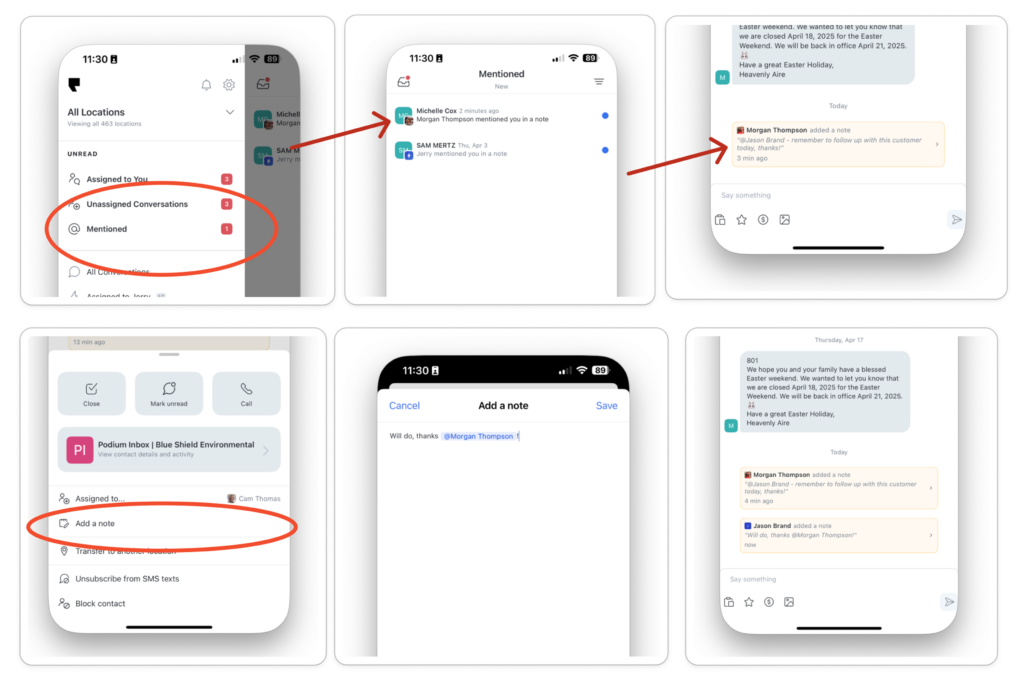
Mobile: @Mentions in Conversation Notes
You now receive a mobile push notification when a team member mentions you in a conversation note and can review all mentions in a dedicated view. Mention your team members in conversation notes added from the mobile app to get their help.
Mobile: Edit Review Response
Review responses can now be edited from the mobile app. This is useful if you need to update responses when a customer updates their review or if an AI-Automated Review Response needs to be adjusted.

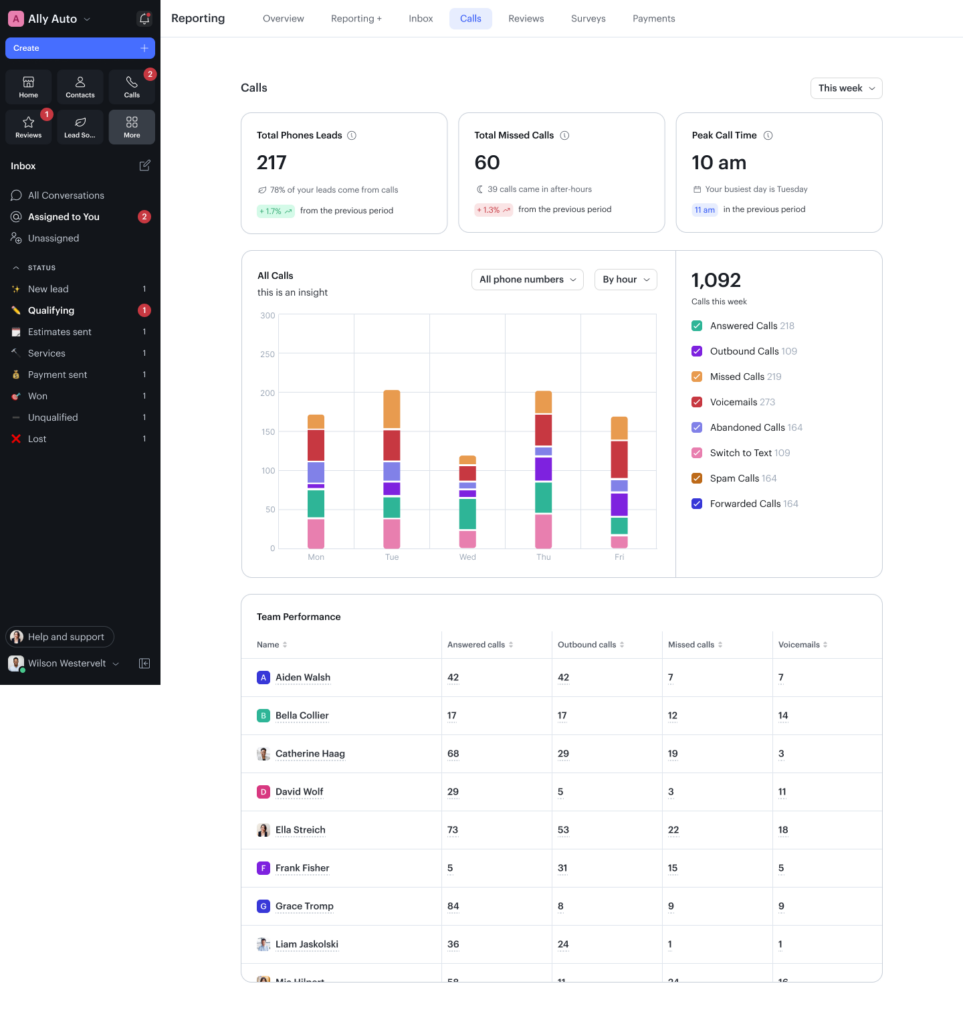
Get Deeper Call Insights Using Phones Reporting
Make data-driven decisions with our new phones reporting tab – a single destination for deeper call insights and performance metrics. Gain a clearer understanding of call volume trends, team phone usage, and call outcomes at a glance.
Assign Desk Phones to Users
Assigning a desk phone to a Podium user ensures every call to their extension rings to their deskphone as well—and carries over their personalized voicemail greeting and privacy settings. It’s a seamless, professional experience for both your team and your customers.

Easily Route Calls Between Locations
Simplify your phone menu to automatically route calls to your other locations, reducing customer confusion and minimizing manual transfers. Keep critical contact information up to date and ensure conversations stay organized by location.

Customize Deskphone Buttons
You can now customize the buttons on your desk phone to better fit your workflow—assign shortcuts, speed dials, and more, all with just a few clicks!

Webchat Marketing Opt In Changes
Website visitors will have the option to explicitly opt in to marketing texts after starting a Webchat conversation instead of always being opted in by starting a Webchat conversation. Learn more about growing your marketing list.
