At Podium, we believe that managing contacts should be as streamlined and intuitive as possible. That’s why we’ve made significant updates to our contact table, focusing on three key areas: enhanced column customization, new in-line editing capabilities, and an updated visual design. These changes are crafted to give you the control and flexibility you need to manage your contacts effortlessly.
Let’s dive into these key improvements and how they can help optimize your workflow.
1. Enhanced Column Customization for Tailored Views
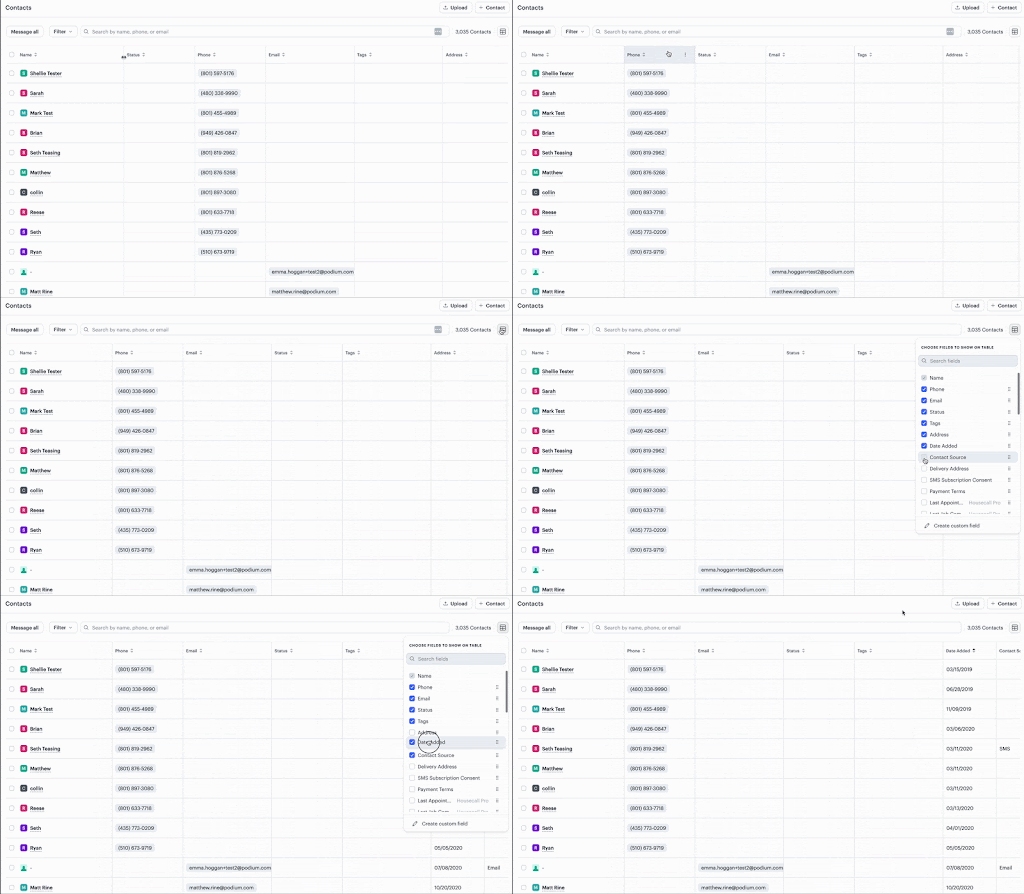
We know that every business has unique needs, so we’ve built in powerful customization options to let you configure the contact table to match your workflow.
- Show, Hide, and Reorder Columns: Choose exactly which columns to display, hide those you don’t need, and rearrange columns to put your most-used data front and center.
- Drag-and-Drop and Resize: Easily drag and drop columns to reorder them, and adjust column widths to fit more data or focus on specific details. This flexibility makes it easy to prioritize and access the information that’s most important to you.
2. In-Line Editing for Faster Updates
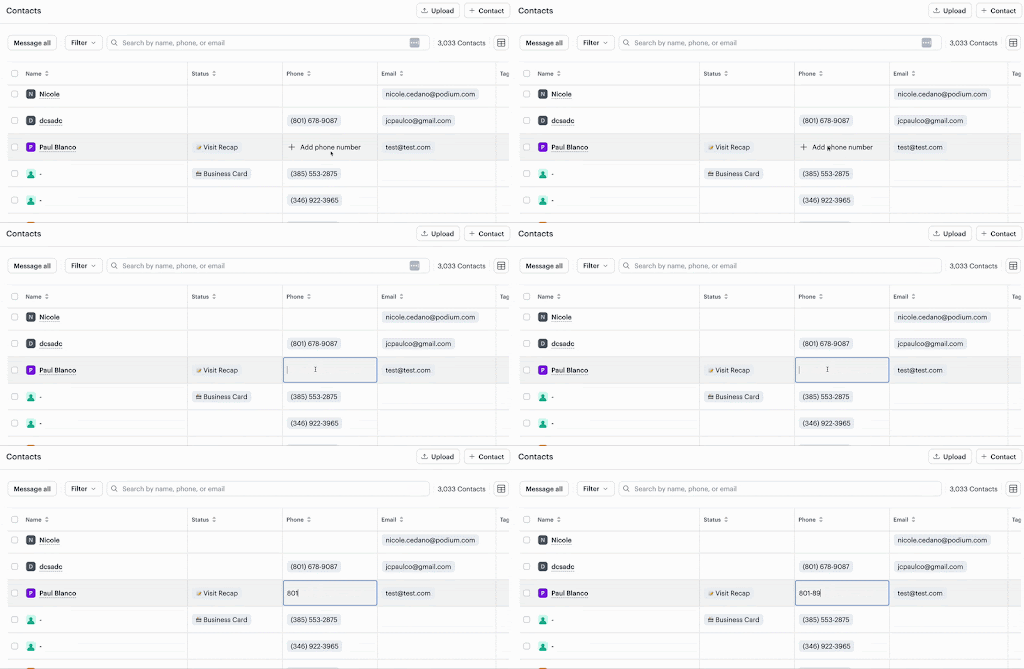
Efficiency is key when managing contact information, which is why we’ve added in-line editing capabilities for key fields:
- Editable Fields: Quickly update contact names, phone numbers, email addresses, and contact status fields without navigating away from the table. This means no more switching between pages or extra clicks—just fast, convenient updates in real-time.
3. Updated Visual Design for Clearer, More Intuitive Navigation

A clean, visually organized layout is essential for working efficiently. The new design addresses readability, usability, and cohesion, making it easier to navigate and interpret contact data.
- Improved Layout and Hierarchy: Optimized spacing, column width adjustments, and clear text styling make it easy to scan and understand your contact data at a glance.
- Consistent Styling for Buttons and Filters: New styling for action buttons and filters provides a cohesive look and feel across the table, giving you a polished and seamless experience with every interaction.
Get Started with the New Contact Table Today!
We’re excited to bring you these updates! Head over to your Contacts page to explore the new contact table, customize it to suit your needs, and experience a more powerful, streamlined way to manage your contacts.